

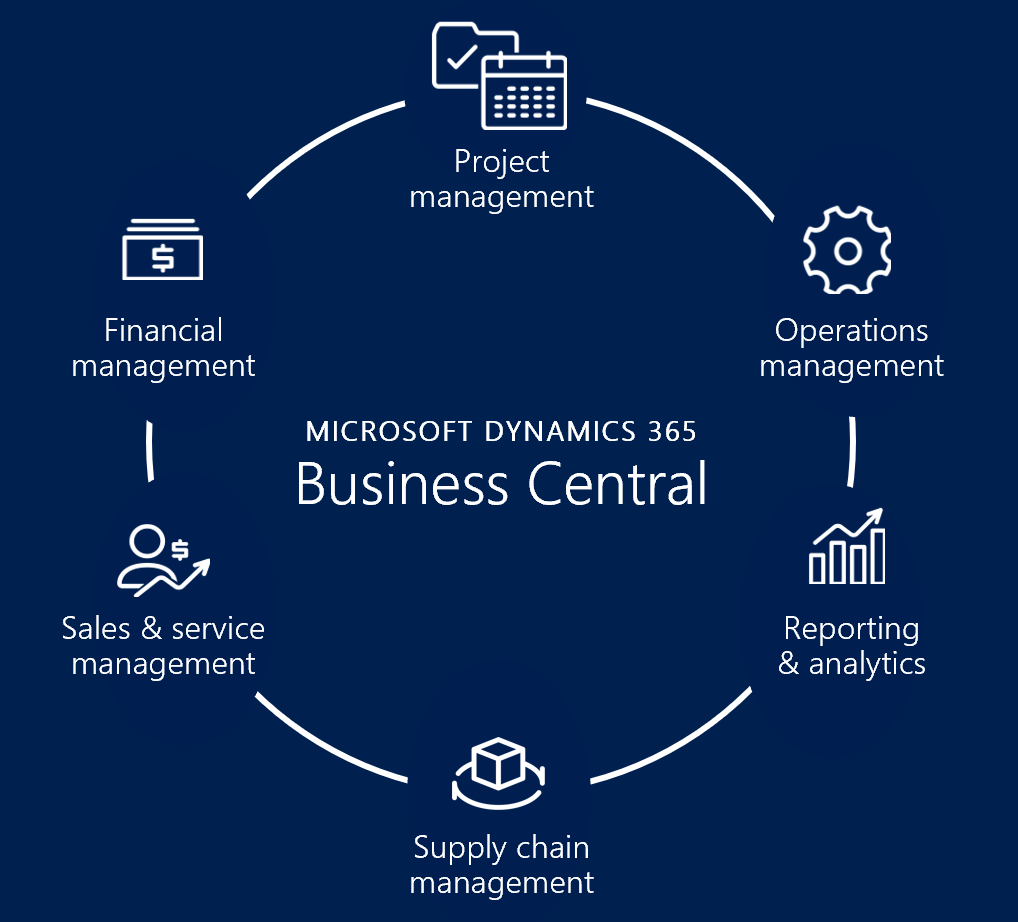
Microsoft Dynamics 365 Business Central is Microsoft’s ERP platform for small and midsize organizations. It brings finance, sales, purchasing, inventory, projects and operations into a connected business system and can be extended with apps and integrations.
Key benefits of Business Central
Connected financial and operational data
Business Central connects core financial and operational processes so teams can work from shared business records instead of maintaining disconnected spreadsheets and applications. That can improve visibility, reduce duplicate data entry and give managers a more consistent view of operations.
Finance management
Finance teams can manage general ledger activity, receivables, payables, budgeting and reporting while connecting financial information with purchasing, sales and inventory processes. Organizations can also use dimensions and account schedules to support management reporting and analysis.
Inventory and supply chain
Inventory, purchasing, sales and fulfillment processes can be managed in the same environment. Depending on the configuration, businesses can use item tracking, planning, warehouse processes and replenishment workflows to improve control over supply and demand.
Projects and jobs
Organizations can manage projects, job costing, budgets, resources, time and billing within Business Central. The exact process depends on the organization’s configuration, licensing and extensions, so project requirements should be mapped before implementation.
Manufacturing and service
Business Central Premium includes the capabilities provided by Essentials plus manufacturing and service management functionality. This makes Premium relevant for organizations that need production planning, manufacturing processes or service operations inside the ERP.
Automation, Copilot and AI
Business Central includes Microsoft Copilot capabilities that can help users find, summarize, analyze and complete selected tasks. Microsoft is also adding agent-based automation for business processes. These AI capabilities are available for Business Central Online customers and continue to evolve, so organizations should verify the specific features available in their environment before planning a process around them.
Business Central Online vs. on-premises
Business Central Online is Microsoft’s cloud deployment and is the primary option for organizations that want Microsoft-managed infrastructure, continuous service updates and access to cloud capabilities such as Copilot. Supported on-premises deployment can still be relevant for organizations with specific infrastructure, regulatory, integration or operational requirements. The choice should be based on security, data requirements, customization, integrations and internal IT capabilities rather than simply comparing subscription costs.
Business Central licensing in 2026
Microsoft currently offers Business Central Essentials, Premium and Team Members licenses. Essentials provides core finance, sales and operations capabilities. Premium includes Essentials plus manufacturing and service management. Team Members is a limited-access license for users who mainly need to read data, approve workflows and perform selected tasks.
Licensing is user-based for the main Essentials and Premium plans, and pricing varies by country, currency, taxes and commercial terms. Microsoft can change pricing and licensing rights, so use the current Microsoft pricing page and Business Central licensing guidance for a purchase decision.
How to decide if Business Central fits
- Map your current finance and operational processes.
- Identify integrations that must remain reliable, including banking, CRM, ecommerce, payroll and reporting systems.
- Separate standard requirements from genuine customizations and extensions.
- Estimate data migration, cleansing, testing and cutover effort.
- Map each user role to the appropriate license instead of assigning licenses only by job title.
- Plan security roles, governance, training and post-go-live support.
- Decide whether Online or an on-premises deployment better fits your technical and regulatory requirements.
Role of an implementation partner
An experienced implementation partner can help with requirements, solution design, configuration, extensions, integrations, migration, testing, training and post-go-live support. For a meaningful evaluation, ask partners to explain their approach to data migration, testing, change management, integrations, security and ongoing support, not simply the number of consultants they can provide.
Final takeaway
Business Central is most valuable when it replaces fragmented processes with a connected operating model. Its value comes from the combination of ERP capabilities, Microsoft ecosystem integrations, automation and extensibility. Before choosing it, compare the processes you need to improve, the integrations you must preserve, the deployment model you require and the licensing that matches each user’s actual responsibilities.
