

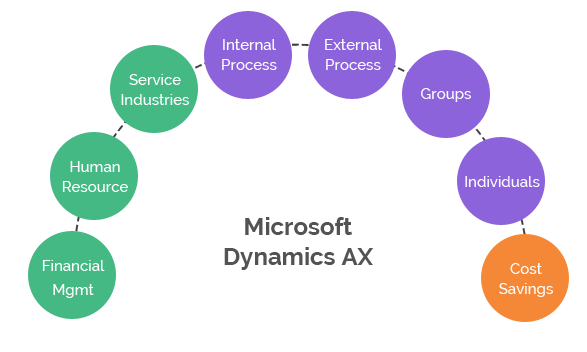
Microsoft Dynamics AX was a major enterprise resource planning platform used by organizations to manage finance, supply chain, manufacturing, retail, and other business processes. Although AX is now a legacy product family, understanding its strengths helps explain why it became an important part of Microsoft’s enterprise software portfolio.
For organizations still running AX, the priority in 2026 is modernization rather than new AX adoption. Microsoft has ended support for the major AX releases and provides migration guidance toward Dynamics 365 finance and operations apps.
What Was Microsoft Dynamics AX?
Microsoft Dynamics AX was an ERP platform designed for organizations with complex financial, operational, supply chain, manufacturing, and international requirements. It helped centralize business data and standardize processes across departments and legal entities.
Key Historical Benefits of Dynamics AX
1. Centralized Business Data
AX brought financial and operational information into a connected ERP environment. Centralized data helped organizations reduce fragmented processes and improve visibility across departments.
2. Financial Management
Dynamics AX supported core financial management processes including general ledger, accounts payable, accounts receivable, budgeting, fixed assets, and financial reporting. Global organizations could also manage multiple entities, currencies, and local requirements.
3. Supply Chain Management
AX provided capabilities for procurement, inventory, sales, logistics, and supply chain operations. This made it useful for organizations where planning and coordination across the supply chain were critical.
4. Manufacturing Capabilities
Manufacturing organizations used AX for production planning, bills of materials, inventory, procurement, and related operational processes. The platform could be configured for different manufacturing models and business requirements.
5. Industry-Specific Functionality
One of AX’s strengths was its ability to support complex industry processes. Manufacturing, retail, distribution, professional services, and other organizations could adapt the platform to their operating models.
6. Microsoft Ecosystem Integration
AX was designed to work within the wider Microsoft technology ecosystem. Integration with Microsoft products and enterprise technologies helped organizations connect ERP data with productivity, reporting, collaboration, and other systems.
7. Enterprise Scalability
AX was built for organizations with complex structures, multiple locations, and international operations. Its enterprise architecture helped large organizations manage standardized processes while supporting local requirements.
Dynamics AX vs. Modern Dynamics 365
| Area | Dynamics AX | Modern Dynamics 365 |
|---|---|---|
| Product status | Legacy ERP platform | Current Microsoft business application ecosystem |
| Deployment model | Historically on-premises and hosted deployments | Cloud-first services with supported deployment options depending on product |
| Updates | Version-based upgrades | Continuous service and release model |
| AI and automation | Limited compared with modern platforms | Ongoing investments in automation, analytics, Copilot, and agentic capabilities |
| Migration focus | Maintain legacy environment or modernize | Modern target platform for new enterprise workloads |
Should a Business Still Invest in Dynamics AX?
For a new ERP implementation, Dynamics AX should not be treated as a current Microsoft product choice. Organizations still operating AX should instead evaluate a modernization path to the appropriate Dynamics 365 finance and operations applications.
The right path depends on the AX version, customizations, integrations, data, reporting environment, business processes, and regulatory requirements.
Benefits of Modernizing from AX
- Access to a current Microsoft-supported platform
- Cloud-based capabilities and easier access to modern services
- Improved integration with the Microsoft ecosystem
- Modern analytics, automation, and AI capabilities
- Opportunity to simplify or redesign legacy customizations
- Better alignment with Microsoft’s current product roadmap
Frequently Asked Questions
Is Dynamics AX still supported?
The major Dynamics AX releases have reached the end of their Microsoft support lifecycles. Organizations should review Microsoft’s current lifecycle and migration guidance before planning any long-term investment in an AX environment.
What replaced Microsoft Dynamics AX?
Microsoft’s modern enterprise finance and operations portfolio includes Dynamics 365 Finance and Dynamics 365 Supply Chain Management, among other Dynamics 365 applications.
Can existing AX customizations be moved directly?
Not always. Customizations, integrations, reports, and code may require assessment, remediation, redesign, or redevelopment as part of modernization.
Conclusion
Dynamics AX delivered significant value to enterprises by centralizing finance and operations, supporting complex supply chains, and providing industry-specific ERP capabilities. Today, its historical strengths are useful context, but businesses should focus their future ERP strategy on supported Dynamics 365 applications and a carefully planned modernization roadmap.
