

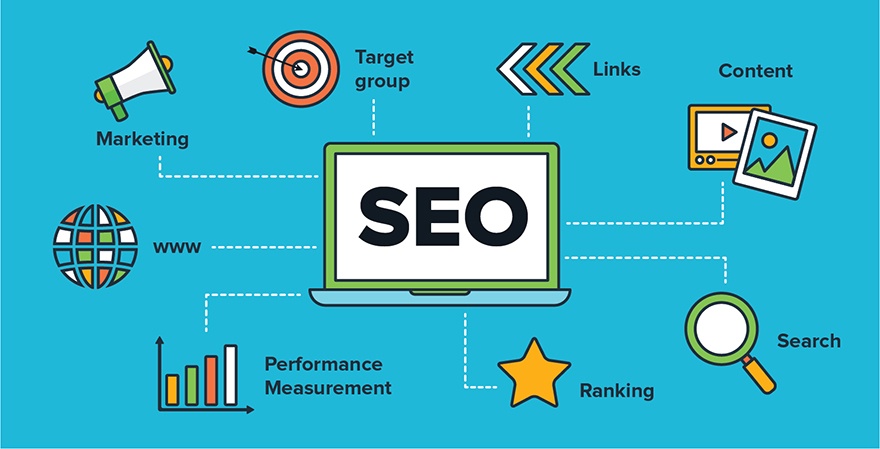
An SEO audit is a structured review of a website’s crawlability, indexation, technical setup, content, search intent, internal linking, performance and measurement. The goal is not to chase a fixed list of ranking factors. It is to identify problems and opportunities that can affect search visibility and organic conversions.
SEO audit checklist
1. Confirm the website can be crawled and indexed
- Check robots.txt for accidental blocking.
- Review XML sitemaps and confirm they contain canonical, indexable URLs.
- Inspect important pages in Google Search Console.
- Look for noindex directives, canonical conflicts and redirect chains.
- Check server errors and recurring 4xx or 5xx responses.
2. Review site architecture and URL structure
Important pages should be reachable through a logical internal-link structure. Review navigation, category structures, orphan pages, duplicate URL variants, pagination and parameter-driven URLs. Keep URLs stable unless there is a clear reason to change them.
3. Check titles, headings and page intent
Every important page should have a descriptive title and a clear primary heading. The content should satisfy the searcher’s underlying task rather than simply repeat a keyword. Remove keyword stuffing and avoid forcing one keyword onto pages with different intents.
4. Evaluate content quality and topical coverage
Identify thin, outdated, duplicate and overlapping pages. Refresh content when the page has useful history or authority; consolidate only when two pages genuinely serve the same intent and a consolidation is justified. Add original examples, evidence, practical details and clear answers to common objections.
5. Review internal links
Use contextual internal links to connect related topics and important commercial pages. Check for broken links, excessive repeated anchors and pages that receive very few internal links. Anchor text should describe the destination naturally.
6. Audit Core Web Vitals and page experience
Use real-user and field data where available, supported by lab testing for diagnosis. Review loading performance, responsiveness and layout stability alongside mobile usability, accessibility and intrusive interface elements. Do not treat one PageSpeed score as a complete SEO audit.
7. Check structured data
Review structured data for eligibility, accuracy and consistency with the visible page. Remove obsolete or misleading markup. Structured data can help search engines understand eligible content, but it does not guarantee a rich result.
8. Review redirects, 404s and canonicalization
Important old URLs should redirect to the most relevant current destination when a redirect is appropriate. Fix internal links that point to redirected or broken URLs. Use canonical tags consistently and avoid canonicalizing pages to unrelated content.
9. Check analytics and Search Console measurement
Make sure GA4 and Google Search Console are collecting useful data and that key conversions are defined. Compare organic clicks and impressions with landing-page engagement and business outcomes rather than reporting traffic alone.
10. Review backlinks and external authority
Assess referring domains for relevance, quality and risk. Do not treat a large backlink count as proof of authority. Focus on earning relevant editorial mentions, citations, partnerships and genuinely useful resources instead of artificial link-building schemes.
11. Check international and regional SEO when relevant
For multilingual or multi-regional sites, review hreflang implementation, regional canonicals, localized content, currency and contact information. Make sure regional pages provide meaningful local value rather than near-duplicate copies.
12. Include AI-search visibility in the audit
Review whether important pages answer questions clearly, demonstrate expertise, cite reliable evidence and expose useful facts in crawlable text. Search visibility now extends beyond traditional results, so content should be easy for both users and retrieval systems to understand and verify.
Prioritize audit findings
Not every issue deserves immediate development time. Score findings by business impact, search impact, confidence and implementation effort. Fix issues that block crawling, indexation, important conversions or high-value content first. Then work through content gaps, internal linking and performance improvements.
Useful SEO audit tools
Use Google Search Console for search and indexation data, GA4 for user and conversion measurement, a crawler such as Screaming Frog for technical discovery, PageSpeed Insights or Lighthouse for performance diagnostics, and a backlink/competitive platform when link and SERP analysis is required.
Final checklist
- Crawlability and indexation
- XML sitemap and robots.txt
- Canonicalization and redirects
- Site architecture and internal links
- Search intent and content quality
- Titles, headings and snippets
- Core Web Vitals and mobile experience
- Structured data
- Backlinks and external authority
- GA4 and Search Console measurement
- International SEO where applicable
- AI-search readiness and citation potential
A strong SEO audit is a prioritization exercise, not a checklist completed for its own sake. The most valuable audit connects technical findings and content opportunities to the searches, users and business outcomes that matter.
