
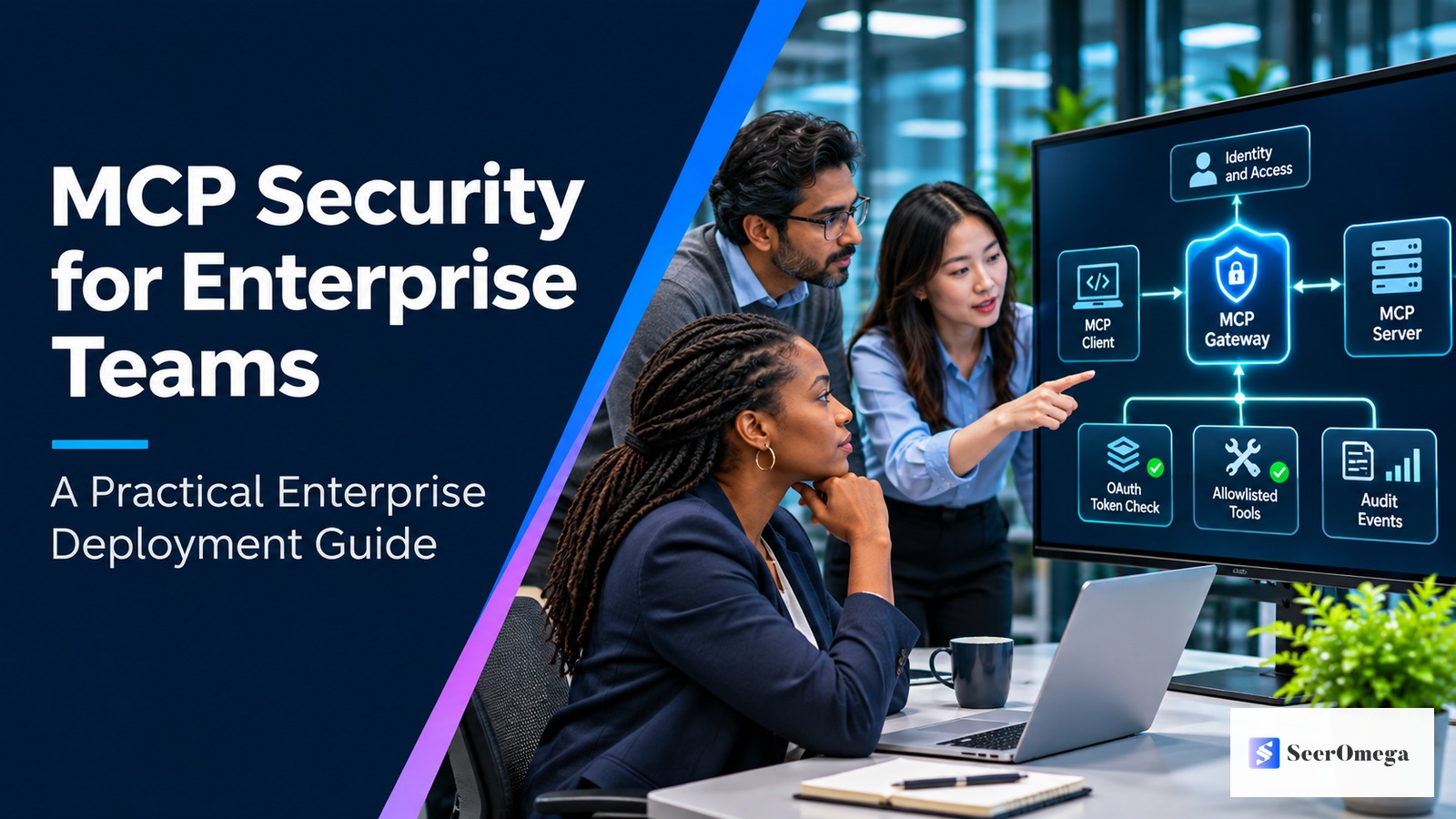
Model Context Protocol (MCP) gives AI applications a consistent way to connect models and agents with tools, data sources and external services. That convenience also creates a new enterprise trust boundary. An MCP server can expose access to email, files, databases, cloud infrastructure, developer environments and business applications. If an agent is manipulated or a server is compromised, a tool connection can become a path to sensitive data or consequential actions.
Securing MCP is therefore not just a matter of protecting an endpoint. Organizations need to govern which servers may connect, authenticate clients, authorize each operation, constrain the server runtime, inspect tool definitions, validate inputs and outputs, and monitor activity across the full chain.
This guide is for security leaders, enterprise architects, platform engineers and developers deploying MCP in production. It uses the MCP specification version 2026-07-28 and current OWASP guidance as reference points. Always verify the specification and implementation version used by your client, server and SDK because security behavior can change between releases.
Why MCP changes the enterprise security model
A conventional API integration usually has a defined application, endpoint and set of operations. MCP standardizes how an AI host discovers and invokes tools and accesses resources exposed by servers. The host can connect to several servers, and the model may select tools based on the descriptions and context it receives.
That creates risks across multiple components:
- Host and client: the AI application may expose too many connected tools or fail to present meaningful consent and approval controls.
- Server: an MCP server may run with broad local or downstream privileges, expose unsafe operations or mishandle credentials.
- Tool definitions: descriptions, schemas, annotations and return values can influence model behavior and may change after initial approval.
- Identity and delegation: a server can become a confused deputy if it uses its own broad credentials instead of enforcing the requesting user’s authority.
- Transport and network: remote endpoints, OAuth discovery, redirects and URL-fetching tools can introduce interception, token theft or server-side request forgery risks.
- Supply chain: a third-party server, package, dependency or publisher can introduce malicious code or unexpected behavior.
OWASP’s MCP Security Cheat Sheet covers tool poisoning, rug-pull attacks, tool shadowing, confused deputy problems, over-scoped tokens, supply-chain compromise, message replay and local server sandbox escapes. These risks require controls outside the model’s prompt.
Start with an MCP inventory and trust model
Before enabling MCP across teams, create an inventory of every server and client connection. Include servers installed by developers, embedded in products, deployed centrally, exposed by SaaS vendors and discovered through internal registries.
For each server, record:
- Business purpose, service owner, technical owner and support contact.
- Publisher, source repository, package name, version, release provenance and maintenance status.
- Transport type, endpoint, hosting environment and network dependencies.
- Tools, resources and prompts exposed, including their input and output schemas.
- Data classifications, downstream systems and operations available.
- Authentication method, OAuth scopes, service identities and credential storage.
- Runtime permissions, filesystem access, network egress and secret access.
- Logging, retention, incident response, change control and decommissioning process.
Classify servers by the impact of what they can do, not simply by whether they are local or remote. A local server with access to source code, shell commands and developer credentials may be more sensitive than a remote read-only knowledge server. Separate public-data tools from servers that handle personal information, financial records, identity administration or production infrastructure.
Secure remote MCP authentication and authorization
Authenticate every protected request
For remote Streamable HTTP servers that expose non-public tools or data, require authentication and protect the connection with TLS. The MCP authorization specification follows OAuth 2.1 security practices. The protocol does not require every server to implement authorization, but enterprise servers accessing user-specific or sensitive resources should not rely on anonymous access.
The MCP specification’s authorization security considerations require clients to identify the intended resource in authorization and token requests, and require servers to validate that presented tokens were issued for that server. In practice, validate token signature, issuer, audience, expiry and granted scopes before processing a protected request. Reject tokens intended for a different API or MCP server.
Do not pass an access token received from the MCP client through to an upstream API. The MCP server should obtain a separate downstream credential through an approved OAuth or workload identity flow. This prevents a token intended for one resource from being reused against another service.
See the official MCP Authorization specification and its security considerations.
Authorize at the tool and resource level
Authentication establishes who is connecting. Authorization determines which operation that principal can perform on which resource. Enforce the decision in trusted server-side code, not in a model instruction or tool description.
Apply least privilege at several levels:
- Which users, workloads or agents may connect to a server.
- Which tools and resources each principal may discover and invoke.
- Which records, files, tenants or cloud resources are in scope.
- Which operations are permitted, such as read, create, update, delete, export or administer.
- Which arguments, destinations, time windows and data volumes are acceptable.
- Which actions require explicit human approval or independent authorization.
Do not treat a tool marked read-only as proof that its implementation cannot write. Tool annotations are useful metadata, not a substitute for enforcement. Where a workflow must be read-only, use a read-only database role or API permission and test that write attempts are rejected by the underlying system.
Preserve user identity and prevent confused deputy behavior
A server that calls another system using its own privileged credential can accidentally grant the agent more access than the user has. This is the confused deputy problem. If a tool performs actions on behalf of a user, preserve the requesting identity and apply that user’s authorization to the target resource.
Use explicit delegation, narrowly scoped credentials and short token lifetimes. Keep user authority distinct from the server’s workload identity. If the server supports multiple tenants, derive tenant and user context from verified identity claims, not from untrusted tool arguments.
Do not use sessions as authentication
The 2026-07-28 MCP specification describes a stateless Streamable HTTP core without protocol-level sessions. An application may still need a workflow handle or other state reference, but possession of that handle must not authenticate the caller. Bind server-issued handles to the authenticated principal, make them unpredictable, expire them where appropriate and authorize every request that uses them.
Protect local MCP servers and developer environments
Local execution is not automatically safe. A local MCP server can inherit the user’s filesystem access, network connectivity, environment variables, SSH keys, cloud credentials and developer tools. A malicious or vulnerable server may use those privileges even if its protocol surface appears small.
Use a restricted runtime with:
- Filesystem access limited to explicitly required directories.
- No access to credential stores or secret files unless essential.
- Network egress disabled by default and allowlisted when required.
- Restricted process execution, package installation and shell access.
- CPU, memory, execution-time and concurrency limits.
- Separate identities and environments for development, testing and production.
- Logging of server launch, configuration changes and tool activity.
For local stdio servers, use the process-launch and operating-system controls available in the host environment. Stdio avoids exposing a listening network endpoint, but it does not restrict what the launched process can access. Use containers or stronger process sandboxing where appropriate, and do not assume that a basic working directory restriction is a security boundary.
For remote Streamable HTTP servers, validate the Host and Origin headers as specified by the transport security guidance, reject unexpected origins, bind local-only endpoints to loopback, and restrict inbound access at the network layer. Apply rate limits, quotas, request-size limits and timeouts to reduce denial-of-service risk.
Defend against tool poisoning and rug-pull changes
Tool descriptions and schemas are part of the context used by an AI model. A malicious server can hide instructions in a description, parameter schema or tool response. A server can also change its tools after approval, replacing a safe operation with one that exfiltrates data or performs a destructive action.
Build a review process for tool definitions:
- Capture the full tool definition at onboarding, including name, description, input schema, output schema and annotations.
- Review the tool’s actual implementation and downstream effects, not just its displayed description.
- Store a versioned snapshot or cryptographic hash of the reviewed definition.
- Compare definitions whenever the server or package changes.
- Require re-review and renewed approval when a tool is added, removed or materially changed.
- Block unreviewed tools from sensitive environments.
Use deterministic tool naming and detect collisions across connected servers. Tool shadowing occurs when a malicious server registers a name or description that influences the model to select it instead of a trusted tool. Separate high-risk servers and avoid exposing an unnecessarily large combined tool catalogue to every agent.
Schema pinning detects changes to tool metadata, but it does not prove that the code behind an unchanged schema is safe. Combine definition review with package provenance, code review, dependency scanning, runtime restrictions and behavioral tests.
Validate tool inputs, outputs and network access
Tool arguments can be generated by a model whose context includes untrusted documents, websites, emails or other tool results. Treat all arguments as untrusted input, even when they conform to a JSON schema.
At the server boundary:
- Validate types, lengths, formats, enumerations and allowed fields.
- Reject unexpected properties and malformed identifiers.
- Use parameterized database queries and safe process APIs.
- Normalize and validate file paths before access.
- Apply destination allowlists to URL-fetching tools.
- Block access to private, loopback, link-local and cloud metadata addresses unless specifically required.
- Set request size, timeout, pagination and result limits.
Validate outputs before returning them to the model. Tool results can contain prompt injection instructions or malformed data that becomes input to a later tool call. Return the minimum structured information needed for the task, label external content as untrusted data and prevent the model from treating returned text as policy.
Filtering suspicious phrases can provide an additional signal, but it cannot prove that content is safe. The authorization and validation layer must remain independent of the model’s interpretation.
Handle human approval as a security control
Require explicit confirmation for high-impact actions such as payments, external data sharing, deletion, permission changes, production deployments and bulk exports. Approval should be specific to the action, not a broad confirmation that the agent may complete a task.
Show the user the actual tool, target, material parameters, data being shared and expected effect. Bind the approval to the exact normalized arguments, principal, tool definition and a short expiry. If the tool, destination or arguments change after approval, require a new decision.
Do not allow a model-generated message or tool response to bypass the confirmation interface. Keep policy enforcement in trusted application code, and ensure that the user can deny the action. For sensitive operations, combine human approval with independent policy checks and separation of duties.
Secure the MCP software supply chain
Third-party MCP servers should pass a software and vendor review before they are connected to sensitive systems. Public availability or inclusion in a registry does not establish trust.
Review publisher identity, repository ownership, release history, maintenance activity, dependencies, licenses, build provenance, known vulnerabilities and the permissions requested at runtime. Pin versions and package hashes where possible. Use an internal registry or allowlist for approved servers, and define a process for vulnerability response and emergency removal.
Prefer actively maintained implementations and verify that the exact version is supported. The NSA’s MCP Security Design Considerations recommends deliberate trust boundaries and careful selection and review of MCP projects. Treat that guidance as a security design reference, not as certification of any particular product.
Monitor MCP activity and prepare for incidents
Centralize security-relevant events from clients, gateways, servers, identity systems and downstream services. Correlate the initiating user, client, server, tool, resource and resulting action. Avoid indiscriminate prompt and payload logging because tool arguments and responses may contain credentials, personal information or confidential data.
Useful events include:
- Server installation, registration, configuration and version changes.
- Authentication failures, token audience mismatches and scope denials.
- Tool discovery changes and unexpected tool invocations.
- High-risk operations, approvals, denials and policy exceptions.
- Unusual call volume, bulk access, repeated failures and abnormal destinations.
- Sandbox violations, unexpected process launches and network egress.
- Prompt-injection detections and suspicious tool output patterns.
Define an incident playbook to disable a server, revoke its credentials, block network routes, suspend affected agents, preserve evidence and review downstream changes. Test whether the organization can identify all clients connected to a compromised server and remove those connections quickly.
OWASP’s logging vocabulary includes MCP-specific prompt-injection event guidance and recommends recording useful detection context without creating a secondary sensitive-data risk through full prompt and tool I/O logging.
Enterprise MCP security checklist
| Control area | Minimum implementation evidence |
|---|---|
| Inventory and ownership | Approved server register, owners, purpose, publisher, version and risk tier |
| Authentication | Verified identity on protected requests, TLS for remote transport, secure token storage |
| Authorization | Per-tool and per-resource policy, least privilege and downstream authorization tests |
| Delegation | Separate client and upstream tokens, short-lived credentials and user context preservation |
| Runtime isolation | Filesystem and network restrictions, process sandboxing and resource limits |
| Tool integrity | Reviewed and versioned schemas, change detection and publisher verification |
| Input and output | Schema validation, safe query handling, URL allowlists and untrusted output handling |
| Human approval | Action-specific approval for sensitive operations with execution-time enforcement |
| Monitoring | Centralized audit events, alerting, retention and secret redaction |
| Incident response | Tested server disablement, credential revocation and downstream impact review |
How to test an MCP deployment before production
Run security tests against the actual client, server, identity provider and downstream systems. Include both protocol-level checks and adversarial tool behavior.
- Present a token issued for a different API and verify that the MCP server rejects it.
- Attempt to invoke a tool outside the user’s scope and confirm that the server denies it.
- Try to reuse a token after expiry or revocation.
- Change a tool description, schema or annotation after approval and verify that the change is detected and blocked pending review.
- Return prompt injection content from a trusted-looking tool and verify that it cannot override policy or authorize another tool call.
- Attempt path traversal, shell metacharacters, SQL injection and requests to internal network destinations through tool arguments.
- Attempt to use a state handle belonging to another user or tenant.
- Attempt a destructive action without approval, with expired approval and with modified parameters.
- Run a local server with unexpected filesystem and network access and verify that sandbox controls contain it.
- Disable the identity provider, policy service or audit pipeline and verify safe failure behavior for high-impact operations.
Record the expected result, actual result, evidence, affected version and remediation owner. Repeat tests after server updates, tool changes, identity changes and changes to the agent host.
Frequently asked questions
Does MCP require OAuth for every server?
No. Authorization is optional in the protocol. However, remote servers that expose private tools or user-specific data should require authentication and apply authorization appropriate to the resources and operations they expose. Follow the current MCP authorization specification when implementing OAuth for HTTP-based servers.
Is a local MCP server safer than a remote server?
Not automatically. A local server may inherit access to a developer’s files, credentials and network. A remote server may have a larger network attack surface but can be centrally managed. Evaluate the privileges, isolation, identity and data access of each deployment.
Can a gateway secure every MCP risk?
No. A gateway can help with authentication, routing, policy enforcement, rate limits and logging, depending on its implementation. It cannot replace server-side authorization, runtime sandboxing, supply-chain review, safe tool code or validation of downstream actions.
Should enterprises allow automatic MCP server discovery?
Discovery should not equal approval. Maintain an approved inventory, verify publisher and provenance, review tool definitions and permissions, and require an explicit onboarding decision before a server can access sensitive systems.
How should teams handle prompt injection from tool results?
Treat all tool output as untrusted data. Validate and minimize the returned content, keep it separate from trusted instructions, and enforce authorization for every subsequent tool call outside the model. Content filters can add signals but should not be the primary security boundary.
Make MCP a governed enterprise integration layer
MCP can simplify how agents connect to enterprise systems, but a standard protocol does not make every server, tool or connection trustworthy. The security boundary must include identity, authorization, runtime isolation, tool integrity, input and output validation, human approval, monitoring and supply-chain controls.
Start with a small approved server catalogue and a low-risk workflow. Prove that access is scoped, tool changes are detected, untrusted content cannot authorize actions, and credentials can be revoked quickly. Expand only when the controls work across the full execution path.
Related reading: Enterprise AI agent security, AI agent management platforms and AI agent readiness assessment.
