

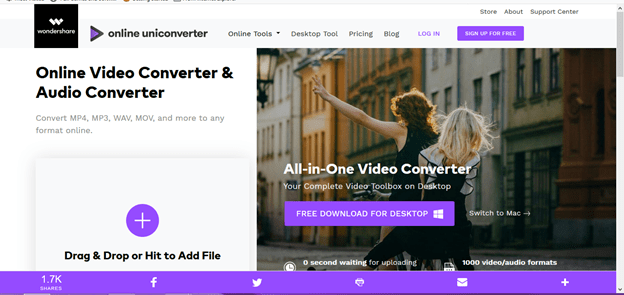
Online converter tools can change files from one format to another without requiring you to install desktop software. They are useful for quick document, image, audio, video, archive, and data conversions, especially when the task is occasional and the file is not sensitive.
The trade-off is that many browser-based converters process files on remote infrastructure. Before uploading anything, evaluate what the service supports, how files are transmitted and stored, what happens to uploaded data after conversion, and whether the output preserves the information you need.
What Can an Online Converter Do?
Conversion tools commonly handle tasks such as:
- Document conversion, such as DOCX to PDF or PDF to another supported format.
- Image conversion between formats such as JPEG, PNG, WebP, SVG, and other supported types.
- Audio and video transcoding between compatible codecs and containers.
- Archive extraction or repackaging where the service supports the required archive type.
- Data conversion between structured formats such as CSV, JSON, XML, or spreadsheets.
- Basic compression, resizing, or optimization as part of the conversion workflow.
Supported formats vary considerably. A long format list is not automatically a sign of a better service because compatibility, output quality, file limits, and privacy controls matter more than the number of formats displayed on a landing page.
Features Worth Checking
1. Required input and output formats
Confirm that the service supports your exact source format and the output format you need. For specialized files, also check whether important features such as layers, formulas, bookmarks, embedded fonts, metadata, subtitles, transparency, or other application-specific elements are preserved.
2. Output-quality controls
Look for controls appropriate to the file type. Images may need dimensions and compression settings. Audio and video may require codec, bitrate, frame-rate, or resolution choices. Documents may need layout, font, page-size, or image-preservation controls.
3. File-size and usage limits
Check maximum upload size, number of conversions, batch limits, processing time, and whether limits change between free and paid plans. A tool that works for a small test file may not be suitable for a recurring business workflow.
4. Batch processing
Batch conversion is useful when you have many similar files. Before relying on it, test whether the service maintains file names, folder structure, output settings, and conversion consistency across the entire batch.
5. Download and storage behavior
Understand where converted files are stored and how long download links remain available. If the service offers an account, cloud storage, or project history, check whether files remain accessible after the conversion is complete.
6. Automation and integrations
For repeated business workflows, API access, cloud-storage integrations, webhooks, or automation support can be more useful than a browser-only interface. Evaluate authentication, rate limits, logging, error handling, and administrative controls before adopting an online converter as part of a production workflow.
Privacy and Security: The Most Important Check
Do not treat an online converter as a neutral desktop utility simply because the interface runs in a browser. If a file must be uploaded for server-side processing, the provider may receive a copy of the file and associated technical information.
Before uploading confidential material, review the provider’s current privacy policy, terms, retention period, deletion process, data-use disclosures, and security documentation. Look for clear answers to these questions:
- Is the file uploaded to the provider’s servers?
- How long is the uploaded file retained?
- Is the file automatically deleted after processing?
- Can employees or service providers access uploaded files?
- Is uploaded content used for analytics, service improvement, machine learning, or other purposes?
- Where is the data processed and stored?
- Does the provider offer encryption in transit and at rest?
- Are there business, enterprise, or compliance controls for sensitive workloads?
Do not assume that a provider’s use of HTTPS means the entire workflow is appropriate for confidential data. Transport encryption protects data while it moves between systems, but it does not by itself answer questions about retention, access, processing, or deletion.
What Files Should You Avoid Uploading?
Unless the provider has been approved for the relevant data-handling requirements, avoid uploading files containing credentials, authentication tokens, private keys, customer records, payment information, confidential contracts, regulated information, unpublished intellectual property, or other sensitive business data.
For sensitive workloads, consider an offline converter or an approved enterprise platform where the organization can control access, retention, encryption, logging, and other security requirements. A managed cloud platform can also be appropriate when its security and administrative controls match the organization’s requirements.
Check Conversion Quality Before You Trust the Output
File conversion is not always lossless. A successful download does not prove that the output is accurate.
After conversion, check the areas most likely to change:
- Documents: fonts, page breaks, tables, images, links, bookmarks, headers, footers, and accessibility features.
- Spreadsheets: formulas, formatting, dates, number formats, charts, macros, and external references.
- Images: dimensions, transparency, color profile, metadata, and compression artifacts.
- Audio and video: codec, bitrate, frame rate, resolution, synchronization, subtitles, and audio channels.
- Archives: directory structure, filenames, permissions where applicable, and file integrity.
For business-critical conversions, compare a sample of source and output files before processing a large batch. Keep the original files until the converted versions have been checked.
Online Converter vs Desktop Software
| Consideration | Online converter | Desktop or approved local tool |
|---|---|---|
| Quick occasional conversion | Usually convenient | May require installation or setup |
| Sensitive files | Requires careful provider review | Can reduce external data transfer when processing locally |
| Large recurring batches | Check limits, pricing and automation | Often better suited to repeatable workflows |
| Specialized formats | Compatibility must be tested | May provide deeper application-level support |
| Centralized administration | Depends on provider and plan | Depends on deployment and management model |
| Internet dependency | Normally required | Many tools can work offline |
When an Online Converter Makes Sense
An online converter is a reasonable choice when the conversion is occasional, the file is suitable for external processing, the provider’s terms are acceptable, and the output can be verified easily. It can also be useful when you are working temporarily from a device where installing software is impractical.
When to Choose Another Approach
Use a different workflow when the files are highly sensitive, the conversion is part of a regulated process, the workload is large or continuous, the conversion requires specialized application features, or you need predictable automation and administrative controls.
For organizations, the decision should be based on total workflow requirements rather than convenience alone. Consider licensing, processing volume, storage, integration, security review, support, error handling, and the operational cost of manually checking converted files.
Online Converter Evaluation Checklist
Before adopting a converter, check:
- Source and destination formats are supported.
- Important document or media features survive conversion.
- File-size and batch limits match your workload.
- Privacy and retention terms are clear.
- Deletion behavior is documented rather than assumed.
- Security controls match the sensitivity of your files.
- Output quality can be tested before production use.
- Pricing remains practical at your expected volume.
- Automation or API capabilities are available if the workflow is recurring.
- There is a suitable fallback if the online service is unavailable.
Frequently Asked Questions
Are online converter tools safe?
Safety depends on the provider, the service architecture, and the type of file you upload. A reputable service may use strong transport and storage protections, but you should still review retention, access, processing, and deletion practices before uploading sensitive information.
Do online converters reduce file quality?
They can. Some conversions are effectively lossless, while others may change compression, formatting, resolution, metadata, or application-specific features. Always test the output when quality or fidelity matters.
Should I use an online converter for confidential business files?
Only when the provider has been reviewed and approved for that type of data. Otherwise, use an organization-approved local or managed solution that provides the required security and data-handling controls.
Final Takeaway
The best online converter is not the one with the longest list of supported formats. Evaluate the complete workflow: compatibility, output fidelity, file limits, privacy, retention, security, cost, automation, and the sensitivity of the data involved. For a one-off low-risk conversion, convenience may be the deciding factor. For recurring or sensitive business workflows, security, control, and predictable processing should carry much more weight.
