
Salesforce and Microsoft Dynamics 365 Sales are both credible options for B2B organisations with structured sales teams, complex account relationships and a need for reliable pipeline visibility. The decision is rarely settled by a feature checklist. It depends on the sales operating model, existing technology investments, integration requirements, administration capacity and the total cost of running the CRM over several years.
This guide compares the platforms from a buyer’s perspective. It focuses on the questions that should be tested in a proof of fit rather than declaring a universal winner. Product editions, AI entitlements and regional pricing change, so confirm the exact scope in current vendor documentation and a written proposal.
Salesforce vs Dynamics 365 Sales: quick comparison
| Evaluation area | Salesforce | Dynamics 365 Sales |
|---|---|---|
| Core sales capabilities | Sales Cloud capabilities for leads, accounts, contacts, opportunities, forecasting and sales automation | Sales application for lead and opportunity management, account engagement, forecasting and sales workflows |
| Platform ecosystem | Salesforce Platform, AppExchange and Salesforce development tools | Dataverse, Power Platform, Microsoft 365, Azure and other Dynamics applications |
| Customization | Declarative configuration, Flow, Apex and Lightning components | Configuration, Power Platform, Dataverse extensions and code where required |
| AI capabilities | Einstein and Agentforce capabilities vary by edition, add-on and consumption | Copilot and related AI capabilities vary by application, license, tenant and configuration |
| Commercial model | Edition-based subscriptions, add-ons and possible capacity or usage components | Named-user subscriptions, base/attach rules and product-specific entitlements |
| Typical ecosystem consideration | Existing Salesforce footprint, AppExchange requirements and Salesforce-skilled teams | Microsoft identity, productivity tools, Power Platform and adjacent Dynamics applications |
Start with the sales process—not the product demo
Document how revenue is generated before asking vendors to demonstrate software. A transactional inside-sales team may prioritise lead routing, activity capture, email integration and quote turnaround. An enterprise account team may need parent-child account hierarchies, buying committees, account plans, territory rules, opportunity teams, partner influence and long forecast cycles. A subscription business may need renewal, expansion, usage and recurring-revenue visibility.
Map the full process from lead capture through qualification, opportunity management, proposal, commercial approval, forecast, closed-won handoff and renewal. For every stage, define required information and exit criteria. An opportunity should not move to proposal simply because a seller changes a status field. Define what evidence is expected: a confirmed business problem, decision process, budget range, technical validation, buying roles and delivery feasibility.
Run the same proof-of-fit scenarios
Give both vendors the same sample accounts, contacts, products and opportunity data. Ask them to demonstrate the same end-to-end scenarios, including exceptions:
- Lead capture and routing: create a lead from a campaign, preserve source and consent data, and route it using territory, product or account ownership rules.
- Complex account management: represent a parent organisation, subsidiaries, multiple contacts and a buying committee without creating duplicate or disconnected records.
- Opportunity qualification: manage products, competitors, partner referrals, multiple stakeholders, close dates and qualification evidence.
- Quote and approval: generate a quote, apply a discount, route the exception for approval and preserve the commercial audit trail.
- Forecast management: update a forecast and show how managers identify slippage, pipeline coverage and changes in deal confidence.
- Closed-won handoff: transfer scope, commitments, key dates and customer context to implementation or customer success without reconstructing the deal from email.
Score each scenario on usability, data quality, exception handling, auditability and the amount of custom work required. Include sellers and sales operations users in the evaluation; an executive-only demonstration does not establish day-to-day adoption.
Platform architecture and integration trade-offs
Dynamics 365 Sales is built on Dataverse and can be extended through Power Platform and related Microsoft services. That can be valuable where the organisation already uses Microsoft 365, Teams, Power BI, Azure or other Dynamics applications. Salesforce has its own platform, declarative tools, Apex and AppExchange ecosystem. It may be a natural fit where the organisation already has Salesforce products, specialist applications or internal Salesforce skills.
Neither ecosystem makes integration automatic. Map the systems that own customer, product, pricing, order, service and billing data. Identify which information is mastered in CRM, which is synchronized from ERP or marketing automation, and how conflicts are resolved. Ask for an architecture covering identity, API usage, integration monitoring, error handling, data retention, duplicate management, environments, deployment pipelines and audit logs.
A connector that synchronizes account names is not an end-to-end integration. Test the actual business event: for example, whether a won opportunity creates the right downstream customer or project record, whether changes return to CRM, and who investigates failed messages. Include middleware, API capacity, monitoring and ongoing support in the cost model.
AI and automation: test the workflow, not the label
Salesforce Einstein and Agentforce capabilities, and Microsoft’s Copilot and sales-agent capabilities, continue to evolve. Availability may depend on product edition, tenant configuration, region, add-on, capacity or preview status. Ask vendors to demonstrate the exact capability in the proposed environment and identify the required license or consumption credits.
Test practical tasks such as preparing for a customer meeting, summarising an opportunity, drafting a follow-up, identifying missing qualification data and recommending next actions. Ask where the system obtains customer context, how sensitive data is protected, whether outputs are logged and how a seller approves actions before they change customer records. Do not assign financial ROI to AI features until you have a baseline for time spent, data completeness or conversion performance.
Licensing and three-year CRM TCO
Compare editions and user roles before comparing list prices. A sales representative, manager, sales operations analyst, service user and occasional approver may not need the same entitlement. Microsoft publishes separate Dynamics 365 Sales plans, while Salesforce offers multiple Sales Cloud editions and related products. Some AI and advanced capabilities may require additional licenses or consumption. Review current regional pricing and validate the exact proposal: Microsoft Dynamics 365 Sales pricing and Salesforce Sales pricing.
| Cost area | Include in the comparison |
|---|---|
| Licenses | Role mix, editions, add-ons, AI, storage, sandboxes and integration capacity |
| Implementation | Discovery, process design, configuration, data migration, integration, testing and training |
| Administration | CRM administration, release management, security, reporting and data stewardship |
| Adoption | Enablement, coaching, process redesign and temporary productivity disruption |
| Integration operations | Middleware, API monitoring, error resolution and downstream data consumers |
| Expansion | New business units, geographies, products, channels and future applications |
Calculate cost per active seller and cost per managed account as well as total subscription spend. Model realistic adoption: paying for seats that are rarely used is a hidden cost, while under-licensing important roles can push teams back into spreadsheets. Use the same three-year growth assumptions for both vendors.
Implementation partner selection
The implementation partner can materially affect delivery risk and long-term maintainability. Ask for a comparable CRM reference, named solution architect, data migration lead, integration lead and adoption owner. Request a sample project plan and a statement of work that defines deliverables, acceptance criteria, scope assumptions, change rates and post-go-live support.
Require the partner to classify requirements as standard capability, configuration, custom code, third-party application or integration. Ask who owns each extension after launch and how documentation, testing and handover will be completed. A low implementation estimate that excludes data cleansing, reporting, integration testing or change management is not a comparable quote.
Use this framework to make the shortlist decision
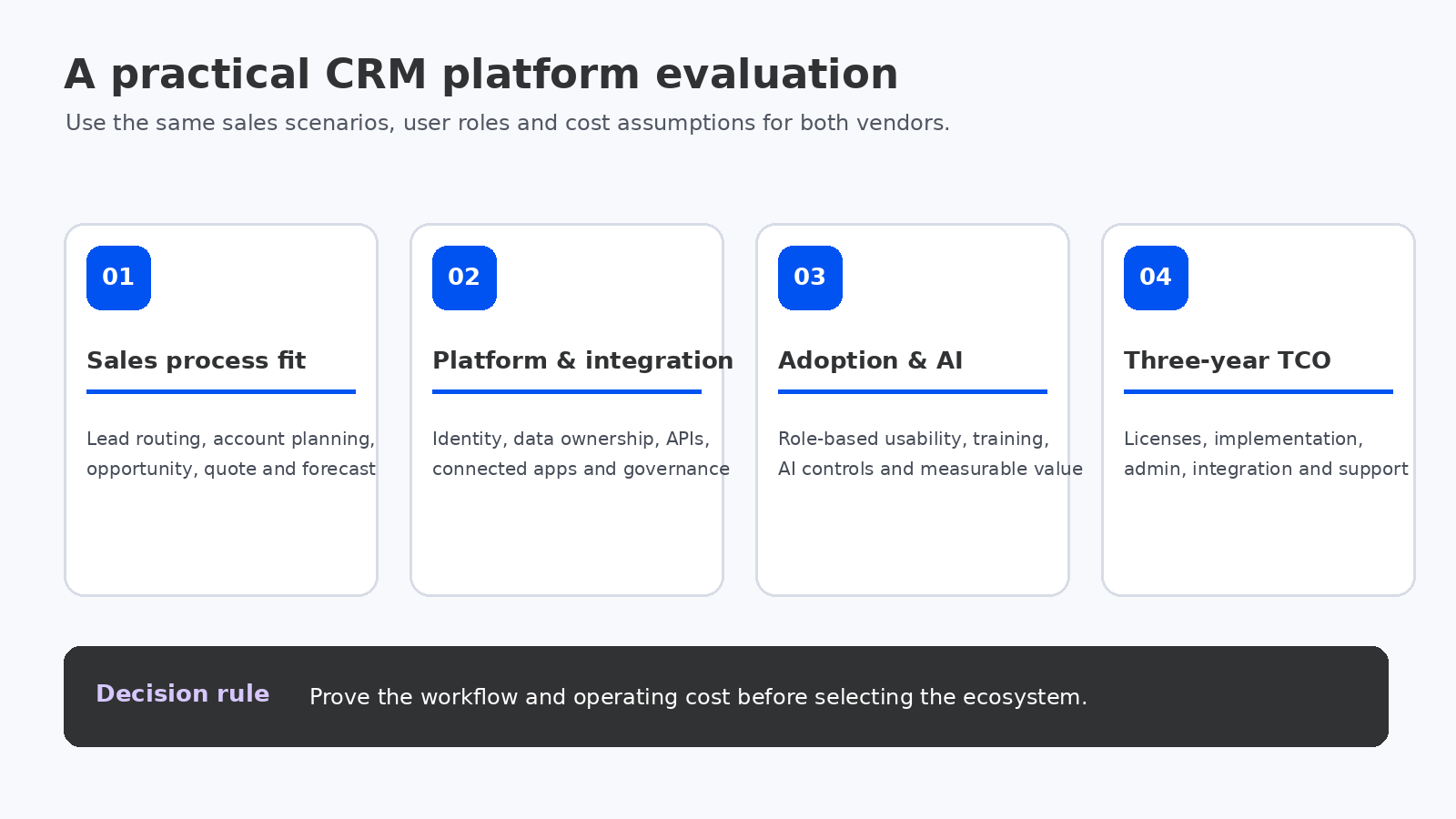
- Lean toward Dynamics 365 Sales when Microsoft identity, productivity tools, Dataverse, Power Platform and adjacent Dynamics applications are central to the target architecture—and the required sales capabilities are included in the proposed license mix.
- Lean toward Salesforce when an existing Salesforce investment, specialist ecosystem, AppExchange applications or the organisation’s sales operating model make it the lower-risk fit.
- Keep both in contention when neither ecosystem is decisive. Use the same proof-of-fit script and compare user adoption, integration effort, administration and three-year cost.
Data model, security and governance
CRM data design becomes harder as teams add regions, business units, channels and acquired companies. Test how each platform represents account relationships, contacts with multiple affiliations, partner accounts, product catalogues, territories and business-specific attributes. Confirm whether the model can support reporting across the organisation without creating duplicate records or inconsistent definitions.
Security should be tested with real job roles. Compare access to accounts, opportunities, forecasts, sensitive fields, exports and administrative functions. Ask how changes are audited, how inactive users are handled, how environments are separated and how configuration moves from development to production. A platform may offer extensive controls, but the operating model still needs named owners, periodic access reviews and documented change approval.
Suggested evaluation scorecard
| Criterion | Suggested weight | What the score should reflect |
|---|---|---|
| Sales process fit | 25% | Scripted workflow results and exception handling |
| Integration and architecture | 20% | Data ownership, API patterns, monitoring and governance |
| Three-year TCO | 20% | Licenses, services, administration and ongoing operations |
| User adoption | 15% | Role-based usability, training and seller feedback |
| Partner delivery capability | 10% | Named team, references, scope and support commitments |
| AI and roadmap fit | 10% | Required features, entitlements, controls and measurable value |
These weights are a starting point, not an industry benchmark. Make any non-negotiable security, compliance or integration requirement a pass/fail gate; do not let a high score in another area compensate for a critical gap.
\n
Questions to resolve before signing
- Which exact edition and add-ons are required for each user role?
- Which critical workflows need custom code, third-party applications or middleware?
- How will account hierarchies, territories, product data and forecasting be governed?
- Which AI capabilities are included, what additional charges apply and what human approvals remain?
- Who owns data quality, duplicate management, consent and integration failures?
- What are the administration, release-testing and support costs after implementation?
Bottom line: there is no universal platform winner for every B2B sales organisation. Choose the CRM that supports the actual sales process with the least avoidable customization, a manageable integration architecture, credible adoption plan and a cost model the business can sustain. Require a scripted demonstration and a transparent proposal before making the commitment.
Related reading: B2B CRM platforms, CRM user adoption and CRM configuration vs customization.
