You might often come across the phrases like, Is SEO dead, Is SEO still relevant or Is SEO still important in 2019. With the growing popularity of social media, Paid advertising and other digital marketing strategies for business, many people believe SEO is not required anymore. But with 63,000 Google searches per day, a business cannot go wrong in optimizing its web pages for the search engines.
On the other hand, people have the myth of expecting that their high-quality content will be displayed on its own. No matter how well you write a piece of content, you will need SEO for users to find it in the first place. Meaning, your efforts might be wasted if you are creating great content that fails to make it up in the search engines results. The science of SEO will help the recognition your content deserves.
Here are some interesting SEO Facts:
- Over 2 trillion Google Searches takes place each day in 2019.
- 75% of users don’t move to the second page of Google Search Results.
- More than 80% of internet users prefer Google for searches.
- Search engine accounts for 93% of online interaction.
- 57% of B2B marketers agree that SEO is more effective in generating leads than other types of marketing methods.
- By 2020 50% of all searches on a search engine will be voice searches.
- Over 30% of Google Search result has a featured snippet.
These facts highlight that search engine optimization is important and relevant. So, all you need to do is to get accustomed to the latest algorithms and use the best SEO tools that will double your website traffic. Here are some of the best tools for SEO strategy tools to analyze your competitors in both On-Page SEO strategies and Off-Page SEO strategies:
List of Top 15 SEO Tools which doubles your website traffic:
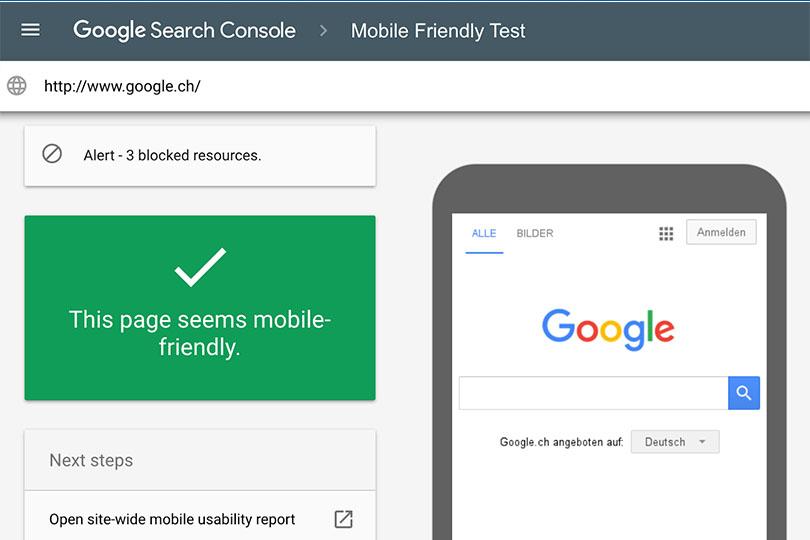
1. Google’s Mobile-friendly test tool – Mobile phone accounts for about half of the web traffic across the world. In some countries, smartphone traffic is even exceeding desktop traffic. So, it becomes really crucial to have websites that are mobile-friendly. You can make use of a Mobile-friendly test tool offered by Google, which helps to figure out if your webpage is mobile-friendly or not. The tool list out usability errors and helps you with suggestions on improving the website’s accessibility. Google’s Mobile-friendly test tool is free to use!
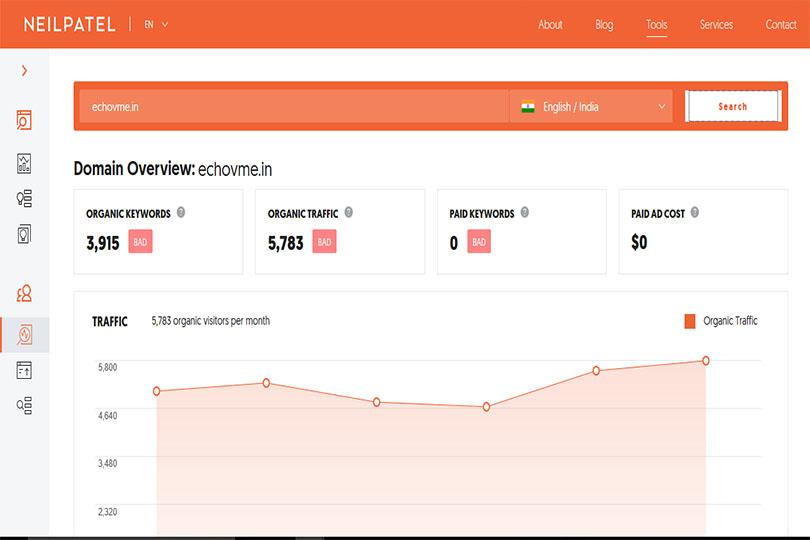
2. Ubersuggest – Ubersuggest is developed to perform keyword research, generate content ideas, give backlink data and ton of other features. Ubersuggest has domain overview, which allows you to get insights on yours or your competitor’s website. You get to know the number of organic keywords, paid keywords, paid ad cost and all-round traffic for a certain period. The tool also allows you to check the total number of backlinks, a number of referring domains and more through Domain Score feature. Ubersuggest is free to use!
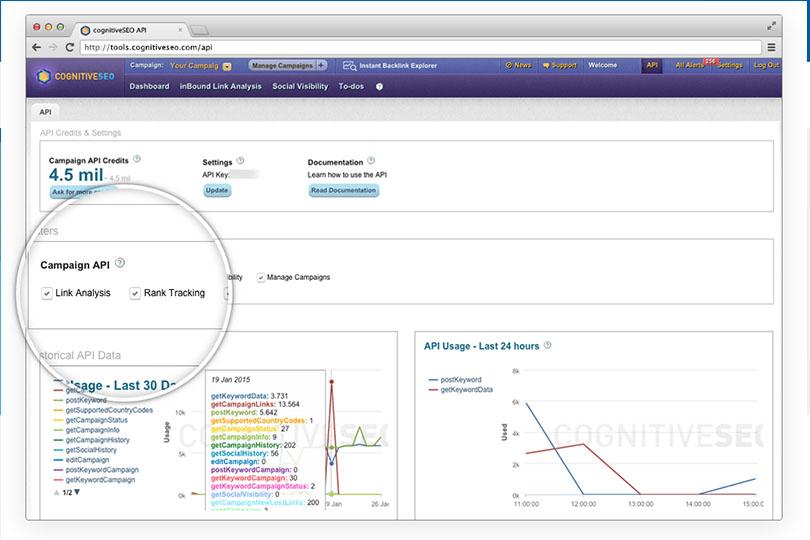
3. CognitiveSEO – CongnitiveSEO is excellent SEO software for complete site auditing. The software crawls through your website to locate SEO related issues. It can check broken links, response time, duplicate content, wrong canonical tags, international SEO issues, image attributes issues, sitemap problems, anchor text problems and many more. Once you perform the audit, the software will give you a detailed report comprising of actionable insights for making improvements. The tool has 7 days free trial and then on $129 per month.
source: cognitiveseo.com
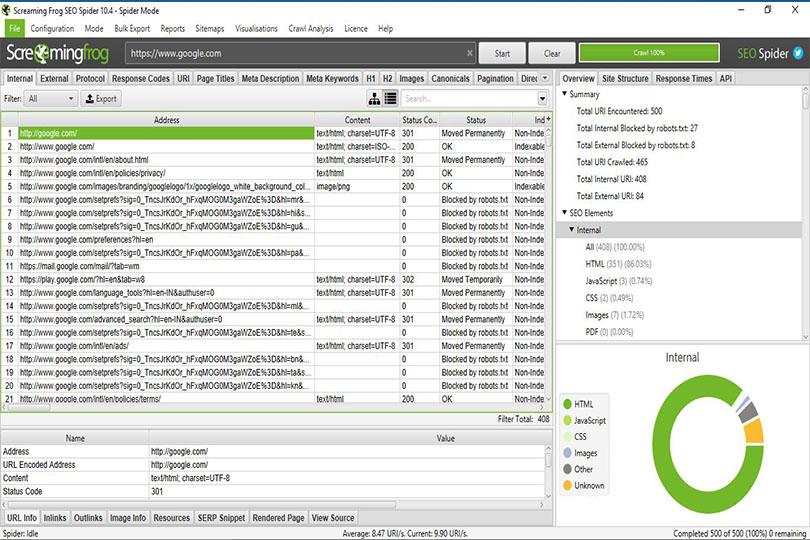
4. Screaming Frog – Screaming Frog is an SEO Spider tool works by crawling through your website pages and checking for flaws. How many pages your website has? How many broken links/images the website has? Which are the pages that are missing meta/title tag descriptions? A complete SEO audit of a website can be done using Screaming Frog. It is not a cloud-based software, you must download and install it on a PC to use it. First 500 pages of crawling are free and buying this software will cost 149 Pounds.
source: screamingfrog.co.uk
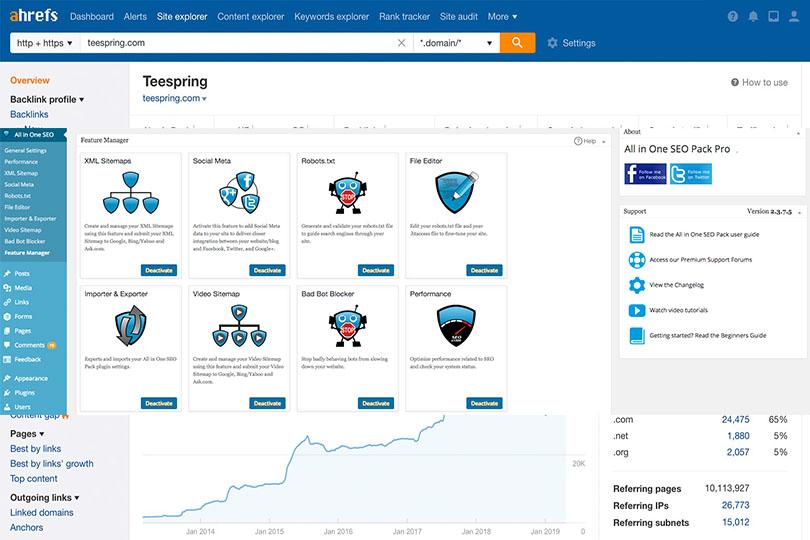
5. All In One SEO Pack – Website owner that is serious about increasing traffic should certainly try All In One SEO Pack, which helps to optimize the WordPress website and its content for search engines. It’s a powerful plugin loaded with exceptional features. You can easily perform overall settings and configurations, on-page content analysis, custom meta box, advance Canonical URLs, breadcrumbs, social meta, XML sitemaps, etc using All In One SEO Pack. Mostly the free version is sufficient, but if you want to go with premium it would cost you $68 to start with.
source: wordpress.org
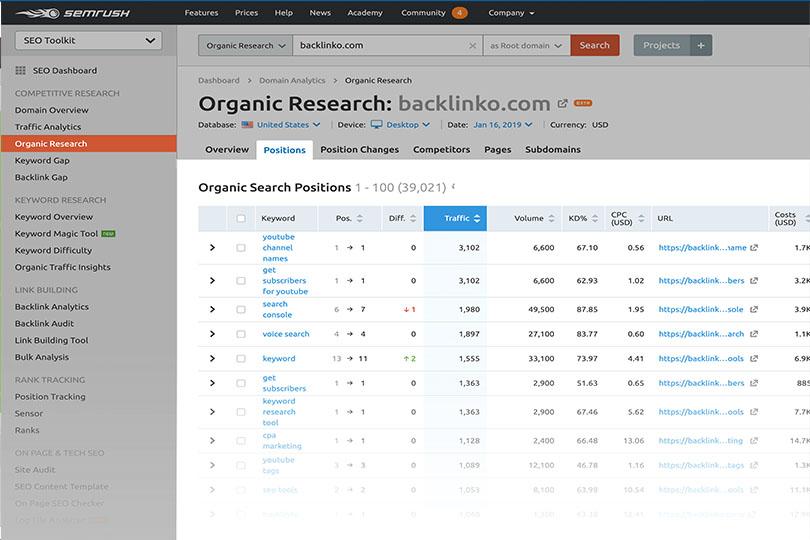
6. SEMrush – SEMrush is trusted by millions of Ecommerce and other website owners to improve their overall marketing efforts. It helps to understand the data and analytics of your website pertaining to SEO, PPC, backlinks, keywords research, Social Media, SERP and more. You can use SEMrush as a competitive analysis tool to find out what your competitors are doing and how you can do it better. SEMrush will offer your facts and suggestions to improve your website traffic. Currently, there are three standard monthly subscriptions Pro – $99, Guru – $199, Business – $399.
source: backlinko.com
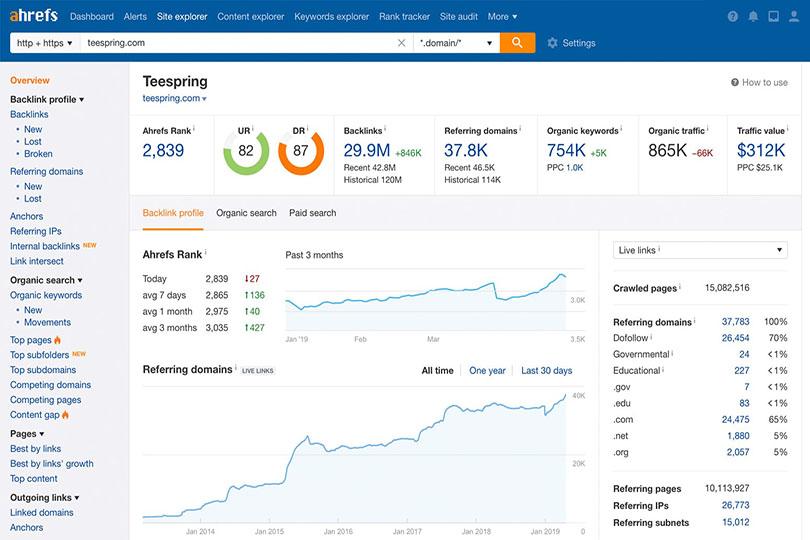
7. Ahrefs – Ahrefs is a tool trusted by many SEO and Marketing professionals worldwide as an ultimate tool for performing and monitoring SEO. Ahrefs has interesting tools and features including, competitive analysis, keyword research, backlink research, content research, rank tracking, web monitoring, website audit and more. Ahrefs is also recognized as one of the best SaaS tools in the industry. You can start a trial at $7 and the monthly price is $99 for Lite, $179 for Standard, $399 for Advance, and $999 for Agency.
source: ahrefs.com
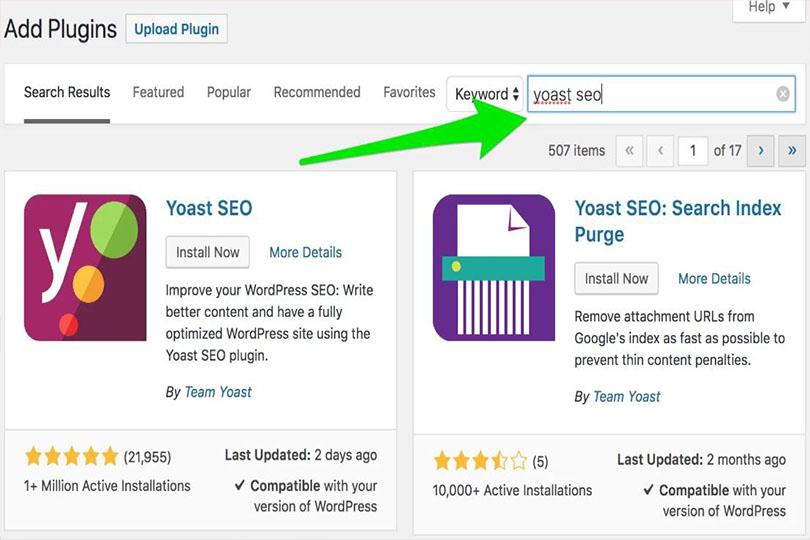
8. Yoast SEO – Yoast SEO can be really helpful for self-hosted WordPress sites. Whether you are running a personal blog or business website, Yoast SEO can make your life easier by making your website as search-engine-friendly as possible. This plugin can be installed and perform tasks like control titles, meta descriptions, push targeted keywords and track them, check for duplicate/outdated content, manage sitemaps, and much more. Moreover, this plugin is always updated with latest Google Algorithms, which helps in faster indexing and great results. There is a free version and $89 if you want premium.
source: yoast.com
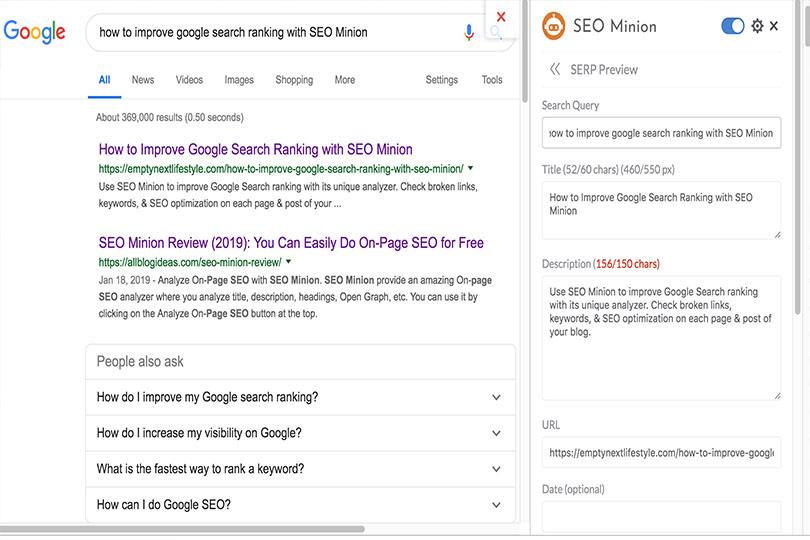
9. SEO Minion – SEO Minion is a tool for Google Chrome and Firefox, helps to analyze website pages and blog posts for keyword-rich content, locating broken links, missing alt description on images, preview SERP, insights on page speed, check Hreflang, and analyze On-page SEO and much more. You can just add the plugin and run a website audit. This tool is free to use!
source: emptynextlifestyle.com
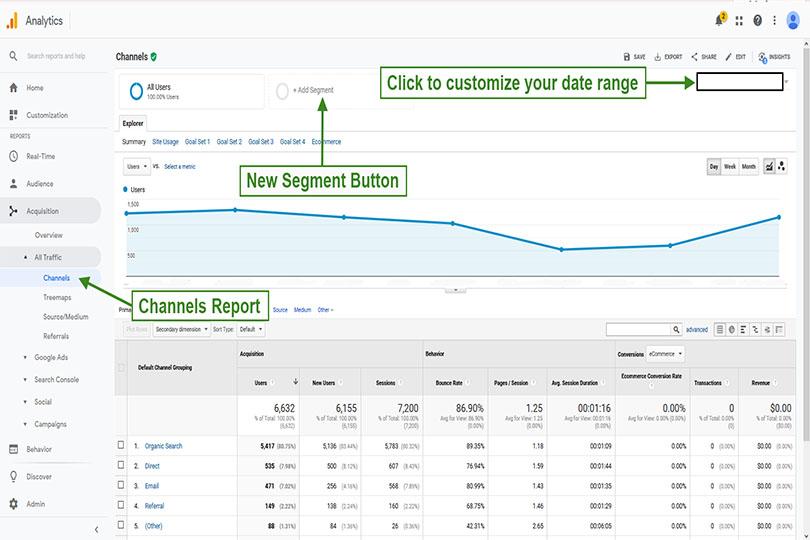
10. Google Analytics – Google Analytics is a tool that almost every website owner users and is comfortable using it. Google Analytics offers advanced insights on how visitors find and use your website/blog. It also allows you to track the return on investment on your online marketing. Many users also use Google Analytics as a source of data collection and implementation. Google Analytics is free to use!
 4444
4444
source: mainstreetroi.com
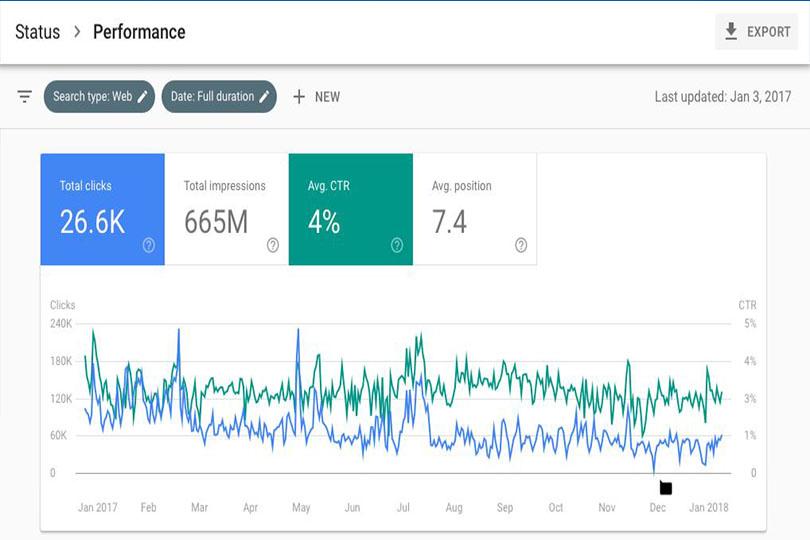
11. Google Search Console tool – Google Search Console tool previously known as Google Webmaster tool works on improving your ranking in the search results by monitoring and maintaining your website. The tool monitors the site’s performance, reports malware and spam issues and also has content accessibility. The service is free to use!
source: impactbnd.com
12. Moz Free SEO Tools – Moz offers 55 amazing search engine optimization tools that are used for link building, website analysis, keyword research, reviewing site’s performance, auditing local listings, getting on-page metrics, and much more. Moz also offers tools for local marketing such as research categories, checking online presence, and location audit. Moz SEO tools have a 30-day free trial and Moz Pro could range from $20- $200 per month depending on the plans you take up.
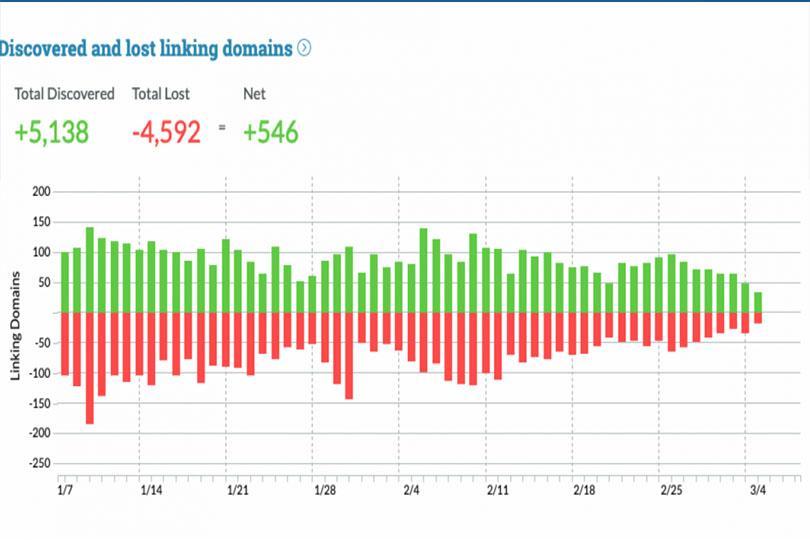
source: moz.com
13. GTmetrix – If you believe a website’s speed is the most important metrics of your website then GTmetrix is a must-use the tool. The tool helps to measure the speed of the site and further suggest aspects for improving website performance. You will get complete breakdown page load time, page load size and a number of requests. Additionally, you can schedule the monitoring, get notified when your website is running slow, and see how the website is loading on various devices. GTmetrix is free to use!
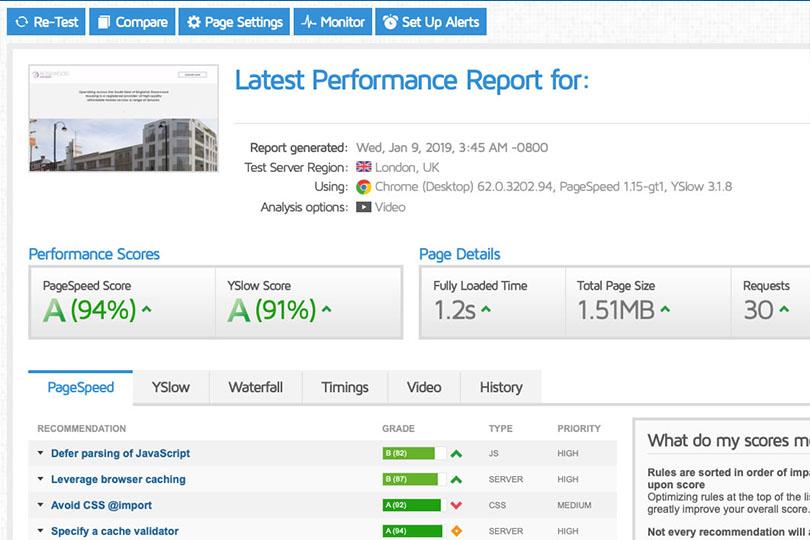
source: fingo.co.uk
14. Sitebulb – Sitebulb is a website spider for Windows and Mac that crawls across your website pages and present you a comprehensive list of issues related to your website. Sitebulb not only audits your website but also produces highly actionable suggestions and amazing visualizations that are easy to understand. You should get Sitebulb if you are interested in getting a detailed, unique and insightful report on your website’s SEO. It’s not a cloud-based solution, you will have to install in on your Windows or Mac. A full-featured free trial is available with Sitebulb; however, it will cost you $35 per month for 1 user license.
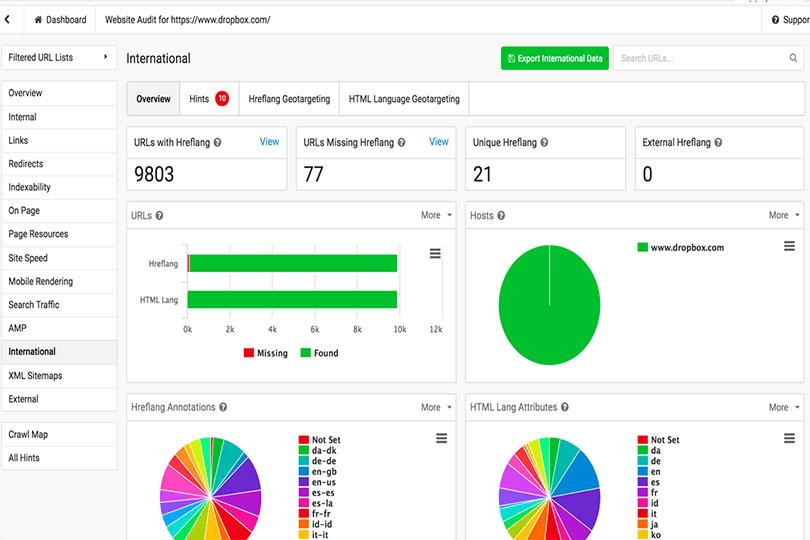
source: ghergich.com
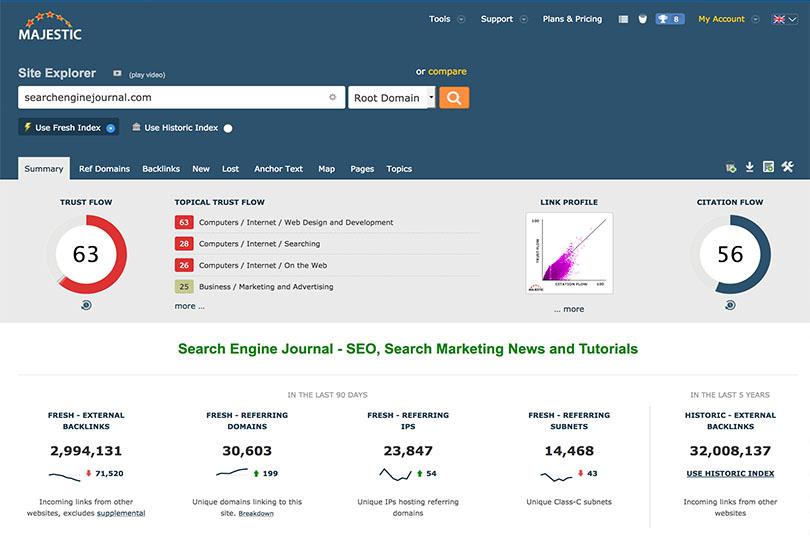
15. Majestic – Majestic or Majestic SEO is a strong web-based tool for SEO backlink data. The tool offers information on link building, link analysis, website traffic analysis, reputation management, competitive link analysis and audits for links. You can use this tool for backlink exploration and building high-quality link building strategy for websites. Majestic also has its own search engine that gives transparent ranking factors and this is available for Google Chrome and Firefox extensions. The tool is free to use and subscriptions plan will monthly cost $49.99 for Lite, $99.99 for Pro and $399.99 for Full API.