
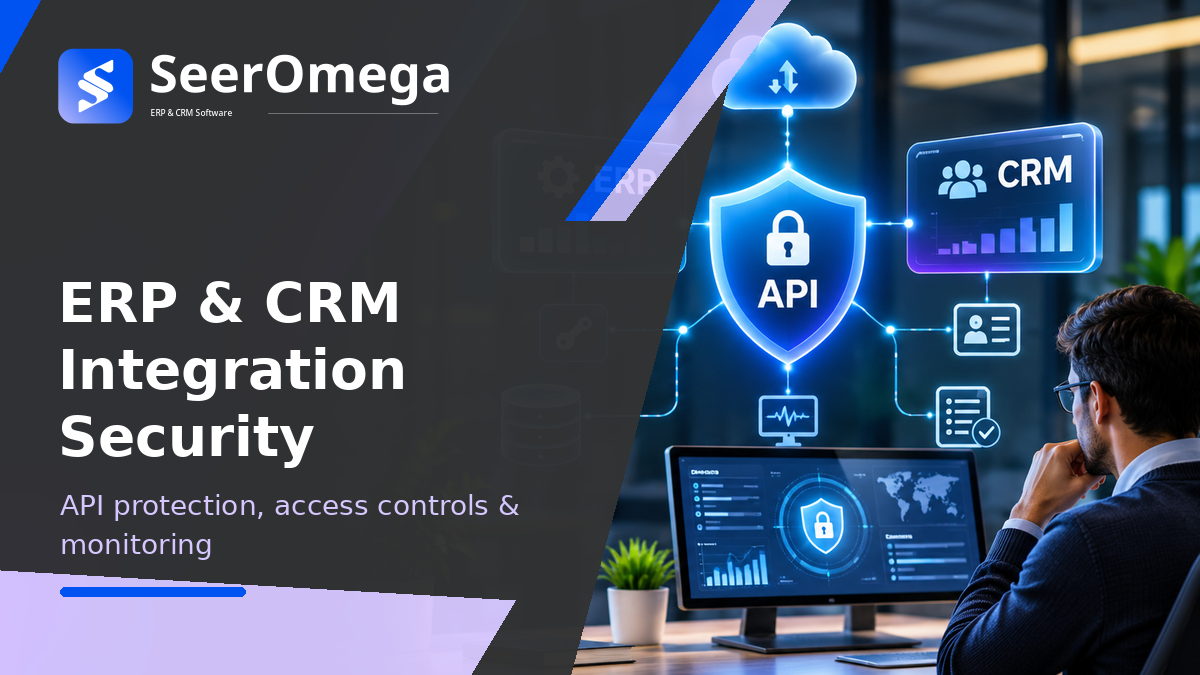
ERP and CRM integrations move commercially sensitive information across systems: customer records, employee details, pricing, orders, invoices, payment status and operational data. A compromised integration credential or poorly authorised API can expose more than one application because connected services often inherit broad access to downstream records.
Integration security must therefore cover the full lifecycle: discovery, design, authentication, authorisation, data protection, deployment, monitoring and incident response. This guide provides a practical control framework for IT leaders, security teams and ERP/CRM programme owners.
Map the integration attack surface
Start with an inventory of APIs, connectors, service accounts, middleware workflows, webhooks, file transfers, event subscriptions and third-party applications. Include production and non-production environments, legacy endpoints, partner access and interfaces created outside the central IT team.
For each integration, record:
- Business owner, technical owner and support contact.
- Source and destination systems, data categories and business purpose.
- Authentication method, scopes, roles and credential owner.
- Network exposure, endpoint and environment.
- Data classification, retention and cross-border considerations.
- Expected volume, rate limits, dependencies and criticality.
- Logging, alerting, incident procedure and decommission date.
An undocumented API is a security and continuity risk. Review the inventory regularly and remove unused credentials, endpoints and integrations.
Authentication: prove which application is connecting
Use a supported, strong authentication mechanism appropriate to the integration pattern. OAuth 2.0 and OpenID Connect are common standards for delegated and service-to-service access, while certificates and managed identities may be suitable in specific environments. Follow current protocol guidance and the platform vendor’s implementation requirements.
- Prefer short-lived, scoped tokens over permanent shared credentials where supported.
- Use separate identities for separate applications, environments and workloads.
- Validate token issuer, audience, signature, expiry and intended permissions.
- Protect refresh tokens and signing keys with approved secret-management controls.
- Rotate credentials and certificates through a tested process.
- Never embed secrets in source code, client-side applications, configuration exports or logs.
API keys can identify a calling application but should not be treated as a complete authorisation model. Avoid placing credentials in URLs, where they can leak through logs, browser history or referrer data.
Authorisation: limit what each integration can do
Authentication answers who is connecting; authorisation determines which records and actions that identity may access. Apply least privilege and deny by default. A reporting integration should not have permission to modify customer credit limits, while an order interface should not need unrestricted access to employee or payroll records.
| Integration purpose | Example minimum permissions | Permissions to avoid by default |
|---|---|---|
| CRM account lookup | Read approved account fields | Delete accounts or change finance controls |
| Order submission | Create orders and read permitted status fields | Administer users or alter system configuration |
| Inventory publishing | Read approved item and availability data | Modify costing or financial postings |
| Analytics extract | Read defined datasets or views | Broad write access to transactional objects |
| Customer synchronisation | Read or update approved customer attributes | Unrestricted access to all personal data |
Where supported, use granular scopes, roles, resource-level checks and separate permissions for read, create, update and delete. Review access when an integration changes purpose or ownership, and remove permissions when the workload is retired.
Protect data in transit, at rest and in logs
Use TLS for network communication and follow platform guidance for certificate validation and modern protocol configuration. Protect stored payloads, backups and queues according to the sensitivity of the data. Apply data minimisation: an integration should transfer only the fields required for its business purpose.
Logs are essential for investigation, but they can become a secondary source of sensitive data. Avoid logging passwords, access tokens, full payment details or unnecessary personal information. Mask or redact sensitive fields, restrict log access and define retention based on operational and regulatory needs.
Secure the API and integration runtime
- Rate limiting: set limits appropriate to normal workloads and business peaks; alert on abnormal consumption.
- Input validation: validate schemas, types, lengths, enumerations and business constraints at system boundaries.
- Object-level authorisation: verify that a caller may access the specific customer, order or record requested—not merely that the caller is authenticated.
- Network controls: restrict administrative and private endpoints to approved networks where feasible.
- Environment separation: use different identities, secrets and endpoints for development, test and production.
- Dependency validation: validate data received from third-party APIs before using it in business-critical workflows.
- API lifecycle: version contracts, retire deprecated endpoints and maintain an inventory of active versions.
Monitoring and detection controls
Monitor security events and operational health together. A sudden increase in failed authentication, unusual data export volume or access outside normal patterns may indicate abuse. A growing queue, repeated retries or a sudden drop in message volume may indicate an outage or integration failure.
| Signal | What to monitor | Possible response |
|---|---|---|
| Authentication anomalies | Repeated failures, unusual client identity or token errors | Investigate source, revoke credentials if compromise is suspected |
| Authorisation failures | Unexpected access-denied events or object access patterns | Review scopes, roles and possible object-level abuse |
| Traffic anomalies | Request spikes, large exports or unusual endpoints | Apply throttling and investigate business context |
| Data movement | Unexpected volume, destination or sensitive fields | Contain transfer and assess exposure |
| Integration health | Queue depth, latency, retries and dead-letter volume | Restore service and reconcile affected transactions |
| Configuration changes | New endpoints, permission changes and credential updates | Verify approval and deployment provenance |
Use correlation IDs to trace a business transaction across the API gateway, middleware, source application and destination system. Define alert thresholds with service owners so that alerts identify actionable risk rather than generating noise.
Test security before and after go-live
Security testing should include both technical controls and realistic business scenarios. Test with multiple roles and records to verify object-level permissions. Check that expired or revoked tokens stop working, that rate limits are enforced, and that malformed or oversized requests are rejected safely.
- Review API specifications and compare them with deployed endpoints.
- Test authentication, token validation, scope enforcement and credential rotation.
- Attempt unauthorised reads and updates across different customer or business-unit records.
- Test rate limiting, request-size limits and input validation.
- Verify that logs do not expose secrets or sensitive payloads.
- Test webhook signature validation and replay protection where applicable.
- Simulate downstream outages and confirm retry, alert and reconciliation behaviour.
- Re-test after application upgrades, permission changes and integration releases.
Incident response and recovery
Prepare a runbook before an incident. It should identify who can disable an integration, revoke credentials, block an endpoint, preserve logs, assess affected records and restart processing safely. If a credential is compromised, rotation alone may not be enough: review access history, data exports, persistence mechanisms and downstream systems.
For transactional integrations, define how to reconcile requests that were accepted before a connection was disabled. Use idempotency and business transaction identifiers to avoid creating duplicate orders or invoices during replay. Document when manual approval is required before restarting a flow.
Security ownership checklist
- Every integration has a named business owner and technical owner.
- Every API and connector is recorded in a maintained inventory.
- Identities are unique, scoped and reviewed periodically.
- Secrets are centrally managed, protected and rotated.
- Data is minimised, encrypted and masked in logs where appropriate.
- Access, traffic, configuration and integration health are monitored.
- Security tests cover object-level access and failure scenarios.
- Credential revocation, recovery and reconciliation procedures are rehearsed.
Final guidance
Secure ERP and CRM integration by controlling identity, permissions, data movement and operational visibility at every boundary. A gateway or middleware platform can enforce important controls, but it does not replace application-level authorisation, secure data handling or accountable ownership. Treat each integration as a production service with a documented lifecycle and tested incident process.
Continue with SeerOmega’s guides to ERP integration architecture and ERP integration testing.
For additional control guidance, review the OWASP API Security Top 10, the UK NCSC guidance on API authentication and authorisation, and the IETF’s OAuth 2.0 Security Best Current Practice (RFC 9700). These references provide security guidance; implementation details should be validated against each ERP, CRM and integration platform.
