
ERP testing should prove that business processes work across the complete solution—not simply that individual screens open or configured features pass a demonstration. Finance, procurement, inventory, manufacturing, sales, integrations, reporting and security are connected. A defect in one area can create incorrect postings or operational delays elsewhere.
A reliable ERP testing strategy defines what must be tested, which environment and data are required, who owns acceptance, how defects are prioritized and what evidence is needed before go-live. This guide explains how to structure that programme and avoid common testing gaps.
Start with business-process coverage
Build the test inventory around end-to-end processes such as record-to-report, procure-to-pay, order-to-cash, plan-to-produce, hire-to-retire and project-to-cash. For each process, document the business scenario, roles, expected result, data prerequisites, integrations, reports and control points.
Include normal transactions and exceptions: partial receipts, returns, credit notes, price overrides, approval rejection, stock shortages, tax differences, failed interfaces, period-end adjustments and users with restricted access. Testing only the happy path leaves important operational risk undiscovered.
Core ERP test types
| Test type | What it proves | Typical owner |
|---|---|---|
| Unit / configuration testing | Individual configurations, rules, extensions and components behave as designed | Functional and technical teams |
| System integration testing (SIT) | Connected applications exchange valid data and handle failures | Integration lead with process owners |
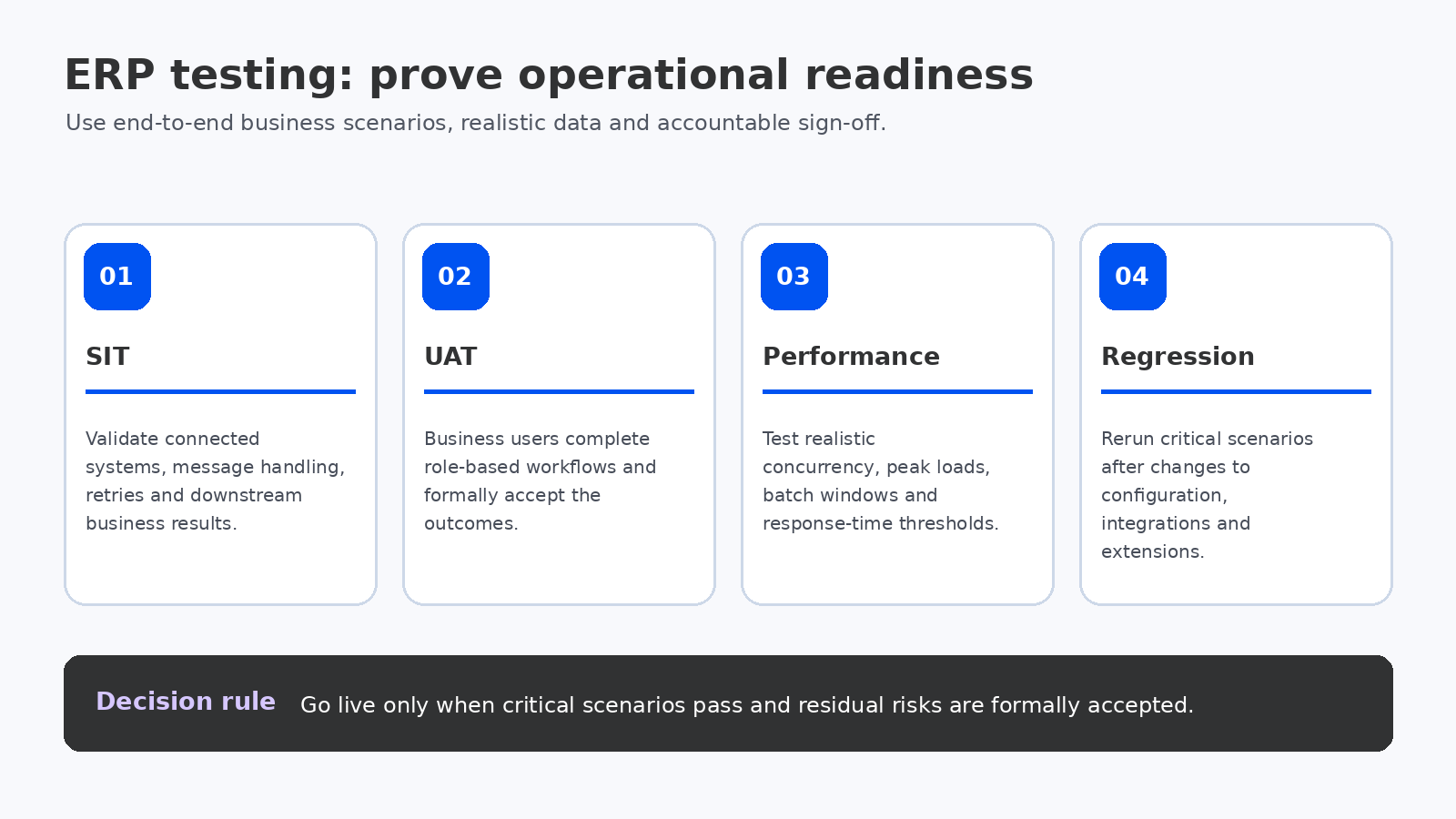
| User acceptance testing (UAT) | Business users can complete real workflows and accept outcomes | Business process owners |
| Performance testing | Response times and throughput meet agreed workload expectations | Technical architect / performance lead |
| Security testing | Roles, segregation of duties and access boundaries work correctly | Security and control owners |
| Regression testing | Changes do not break previously working processes | QA lead and workstream owners |
| Operational readiness testing | Monitoring, backup, recovery, support and deployment procedures are usable | IT operations |
Design system integration testing around failure scenarios
SIT should validate interfaces across ERP, CRM, ecommerce, warehouse systems, manufacturing execution, payroll, banking, tax services, EDI and analytics. Test valid messages, invalid payloads, duplicate messages, delayed responses, unavailable endpoints, authentication failures and recovery after an outage.
For each interface, define the system of record, trigger, frequency, expected volume, error queue, retry behavior, reconciliation process and support owner. A successful API response does not prove that the receiving system posted the transaction correctly. Confirm the downstream business result.
Make UAT a business acceptance process
UAT is not a second round of consultant-led configuration testing. Business users should execute role-specific scenarios using production-representative data and realistic responsibilities. The process owner should confirm whether the outcome meets the requirement, not just whether the steps can be completed.
Prepare scripts with preconditions, steps, expected results, evidence requirements and pass/fail criteria. Include supervisors, approvers, finance controllers, warehouse operators, buyers, sales users and other roles that experience the process differently. Record formal sign-off by accountable owners.
Performance testing must reflect real operating patterns
Agree performance targets before testing. Include peak concurrent users, batch jobs, month-end processing, order volumes, inventory updates, reporting loads, integrations and data growth. Test realistic data volumes and identify whether bottlenecks arise from configuration, custom code, query design, infrastructure, external dependencies or workload scheduling.
Do not rely on a single average response-time number. Capture percentiles, throughput, error rates, resource utilization and the effect of background processing. Retest after material changes and preserve results so the team can compare builds.
Regression testing and release control
ERP configuration and extensions change during implementation. Maintain a regression pack for critical business processes and rerun it after changes to workflows, security, integrations, reports, data models and deployment packages. Prioritize scenarios by financial impact, operational criticality and likelihood of change.
Automate repeatable tests where the platform and process justify it, but do not confuse automation coverage with business acceptance. Automated scripts still need maintenance, realistic test data and review when expected outcomes change.
Defect triage: prioritize business impact
| Severity | Example | Typical decision |
|---|---|---|
| Critical | Financial posting materially wrong; core process blocked; security boundary breached | Stop release / go-live until resolved or formally contained |
| High | Major workflow unavailable with no acceptable workaround | Resolve before go-live or require executive risk acceptance |
| Medium | Limited function affected; controlled workaround exists | Assign owner and target date; assess operational impact |
| Low | Cosmetic or minor usability issue | Prioritize against adoption and support impact |
Each defect should record steps to reproduce, expected and actual results, affected process, severity, owner, target fix, retest evidence and closure approval. Avoid closing defects because a developer says the code is fixed; the affected scenario must be retested.
Go-live test exit criteria
- All critical end-to-end scenarios have passed or have documented, approved exceptions.
- SIT and UAT are signed off by the appropriate owners.
- Performance results meet agreed thresholds at expected peak workloads.
- Security roles and segregation-of-duties controls have been validated.
- Migration runs and reconciliations are complete and accepted.
- Critical defects are resolved; remaining defects have owners and accepted workarounds.
- Cutover, rollback, monitoring and support procedures have been rehearsed.
Microsoft’s Dynamics 365 go-live guidance explicitly includes UAT, performance testing, system integration testing, data migration validation and operational support readiness. Its checklist is product-specific, but the categories are useful reference points for ERP programmes more broadly. See the Microsoft go-live readiness checklist.
Questions to ask your implementation partner
- Which business processes and exception paths are included in the test inventory?
- Who writes scripts, prepares data, executes tests and signs off?
- How are integrations tested when external systems are unavailable?
- What volumes and concurrency assumptions underpin performance testing?
- How is regression testing maintained after configuration changes?
- What defect severity prevents go-live, and who can accept residual risk?
Final recommendation
Treat testing as a continuous workstream from design through go-live, not a final project phase. Build coverage around end-to-end processes, test failures as well as successful transactions, involve real business users and require evidence-based sign-off. The goal is to demonstrate operational readiness—not simply achieve a high test pass percentage.
Related reading: ERP data migration checklist, ERP go-live readiness and ERP project governance.
Build a risk-based test coverage model
Not every transaction requires the same depth of testing. Prioritize scenarios by financial materiality, customer impact, operational criticality, regulatory exposure, complexity and frequency. A tax calculation, inventory valuation or payment interface may need more detailed evidence than a low-impact display preference. Record why a scenario is considered critical and which business owner accepts its result.
Map requirements to test cases using a traceability matrix. Each requirement should link to one or more scenarios, test data, execution result, defect (if any) and sign-off. This makes it possible to identify requirements that were never tested and test cases that no longer support an in-scope requirement.
Prepare environments and test data deliberately
Define the purpose and refresh cadence of development, test, UAT, performance and pre-production environments. Confirm that configuration, extensions, security roles and integrations are sufficiently aligned with production for the test being performed. Protect personal, financial and commercially sensitive data; use masked or synthetic records when appropriate and permitted.
Test data should include realistic volumes, edge cases and relationships. A handful of sample customers will not expose duplicate handling, large account hierarchies, high-volume posting or long-running reports. Keep test data versions and refresh dates documented so results can be reproduced.
Plan defect triage and retesting
Set a regular triage cadence with business and technical owners. Defects should be prioritized using business impact, not only technical complexity. Track the affected process, root cause, workaround, fix version, retest evidence and any regression scope. A defect marked resolved by development is not closed until the relevant test is rerun and the business owner accepts the result.
For unresolved issues, record the residual risk, mitigation, owner, expiry date and approval authority. Avoid informal acceptance in chat or meeting notes; preserve the decision in the project defect and risk registers.
Testing metrics that are useful to leadership
| Metric | What it tells the steering group |
|---|---|
| Critical scenario pass rate | Whether essential business processes have demonstrated acceptable outcomes |
| Open defects by severity and process | Where unresolved business exposure remains |
| Requirements traceability coverage | Whether approved scope has corresponding test evidence |
| Retest failure rate | Whether fixes are reliable or causing repeat issues |
| Performance against agreed thresholds | Whether the solution supports expected workload patterns |
| Business sign-off completion | Whether accountable owners have accepted process outcomes |
Do not use the total number of test cases executed as a proxy for readiness. A high execution count can coexist with poor coverage of critical processes or a large number of unresolved high-severity defects.
Microsoft’s implementation guidance recommends completing and signing off integration, performance and user acceptance testing before go-live, and testing with production-representative data and scenarios. Adapt the detailed test plan to the selected ERP product and your own control requirements.
Related reading: ERP integration testing checklist and ERP go-live readiness.
