
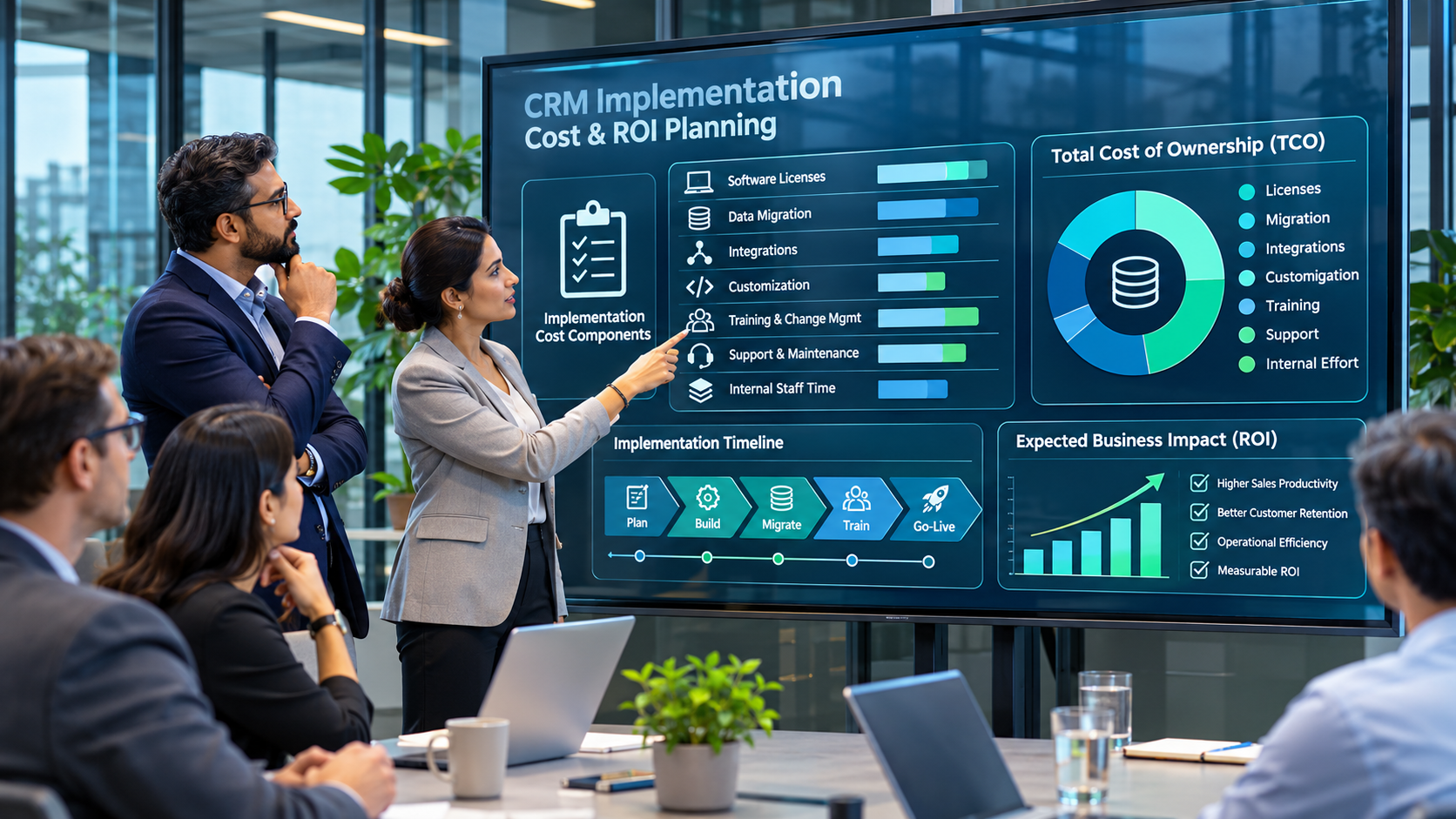
CRM implementation cost is not the same as the CRM subscription price. The total investment includes the work required to define sales and service processes, configure the platform, prepare and migrate data, connect other applications, train users and operate the system after launch. A low licence quote can still lead to a costly project if the organisation has multiple data sources, complex workflows or unclear requirements.
This guide explains the main cost components, how to build a defensible budget and what to ask vendors and implementation partners before signing. It does not give a universal per-user implementation price because project scope, platform, geography, partner rates and data complexity vary too widely for one figure to be meaningful.
CRM implementation cost: what should the budget include?
Build the budget across four categories: one-time implementation, recurring platform and service costs, internal business effort, and contingency or change costs. Keep software licensing separate from professional services so that proposals can be compared on a like-for-like basis.
| Cost component | What it covers | Typical cost driver |
|---|---|---|
| Discovery and design | Requirements, process mapping, architecture and scope | Number of teams, processes and source systems |
| Licences and subscriptions | Users, editions, storage, environments and add-ons | User roles, feature tiers and growth assumptions |
| Configuration and customisation | Fields, workflows, permissions, objects and code | Process variation and complexity of custom requirements |
| Data migration | Profiling, cleansing, mapping, loading and reconciliation | Data volume, quality, history and source count |
| Integrations | Email, ERP, marketing, service, finance and data tools | Number of interfaces, direction of sync and error handling |
| Testing and deployment | System testing, user acceptance, cutover and hypercare | Scenario coverage, locations and release approach |
| Training and change | Role-based learning, communications and adoption support | User count, role diversity and operating-model change |
| Ongoing operations | Administration, support, security, enhancements and upgrades | Internal capability and service-level requirements |
1. Discovery and process design
Discovery establishes what the CRM must support and which problems the organisation is trying to solve. This includes lead management, account and contact structures, opportunity stages, forecasting, customer service, territory rules, approvals, reporting and integrations. If multiple teams use different definitions of a qualified lead or a sales stage, those decisions need to be resolved before configuration.
Reducing discovery effort may lower the initial quote but often shifts cost into rework. Ask the partner for a list of workshops, deliverables, assumptions, decisions and sign-off points. The scope should distinguish mandatory requirements from optional enhancements and future phases.
2. Licensing and subscription costs
Licence costs depend on the platform, edition, user type, feature requirements, storage, add-ons and contract terms. Do not assume every employee needs the same full licence. Some users may need sales capabilities, others customer service, analytics, partner access or limited read-only access. Validate the licensing model against actual roles and usage, including seasonal or external users where relevant.
Model growth over the contract period. Estimate users in year one and likely additions in years two and three. Include premium features, sandbox or test environments, API limits, storage expansion and any separately priced automation or AI capabilities. Confirm renewal terms and the cost of changing editions.
3. Configuration versus custom development
Standard configuration usually includes fields, forms, views, security roles, dashboards, assignment rules and supported workflow automation. Custom development may be needed for unusual business logic, specialised user experiences, complex integrations or requirements that cannot be met cleanly through configuration.
Customisation increases more than the build cost. It can add testing, documentation, upgrade and support effort. Ask the partner to explain why each proposed custom component is needed, what standard capability was considered and how the component will be maintained. A solution that matches every legacy screen may preserve old complexity instead of improving the process.
4. Data cleansing and migration
Migration effort depends on the number of source systems, data volumes, custom objects, attachments, duplicate records, historical activity and relationship complexity. Moving clean account and contact data is materially different from consolidating several CRM instances with years of notes, opportunities, cases and custom records.
Budget for profiling, cleansing rules, field mapping, transformation, test loads, reconciliation and cutover. Decide which history is genuinely required for operational, analytical or retention reasons. Avoid migrating every record by default; unnecessary history increases cost and can bring low-quality data into the new platform.
Ask how the partner will preserve account hierarchies, record ownership, activities and relationships. Our CRM data migration checklist covers the work and controls in more detail.
5. Integration and middleware
CRM rarely operates alone. Common connections include ERP, email and calendar, marketing automation, customer support, e-commerce, finance, identity management, data warehouses and business intelligence. Each integration needs a defined business purpose, system of record, data mapping, frequency, error handling, monitoring and owner.
Point-to-point connections may be sufficient for a small, stable environment, while a larger application estate may require an integration platform or middleware. Estimate build and testing effort as well as recurring platform, API, monitoring and support charges. Clarify whether the quote includes integration licences and production support or only the initial development.
6. Testing, training and change management
Testing should cover complete business scenarios, not just whether a field saves. Validate permissions, automation, integrations, reporting, data quality, mobile access and exception paths. Include business users in acceptance testing and allow time to correct issues and repeat tests.
Training costs depend on the number of roles, locations, languages and process changes. Include training design, materials, instructor time, sandbox practice, manager enablement and support after go-live. Attendance is not the same as adoption; budget for reinforcement and measurement after launch. See our guide to ERP change management and user adoption for a practical approach that also applies to CRM programmes.
7. Internal effort and ongoing operating costs
Internal time is often missing from a partner’s proposal. Sales operations, IT, data owners, security, finance, customer service and managers may all need to contribute to discovery, testing, cleansing, training and governance. Estimate this effort explicitly, including backfill where employees are taken away from daily work.
After launch, include administration, user onboarding, permissions, data-quality monitoring, support, release testing, integration maintenance, security reviews and enhancements. Salesforce’s own CRM total cost of ownership guidance similarly identifies discovery, data migration, configuration, integration, training and ongoing operating costs as part of the overall investment.
How to calculate CRM total cost of ownership
Use a consistent time horizon—typically the initial implementation plus the first three to five years of operation—and calculate:
CRM TCO = one-time implementation + subscription and add-ons + integration and data services + internal effort + training and support + planned enhancements.
Then compare that total with the business outcomes the CRM is expected to support. Potential value drivers include improved lead response, more reliable pipeline forecasting, reduced manual administration, better customer retention and faster service resolution. Define a baseline and a measurement method for each claimed benefit. Do not count the same productivity improvement in multiple categories or treat theoretical time savings as cash savings unless the organisation can actually realise them.
Illustrative budget worksheet
Before requesting quotes, create a model with one row per cost category and capture the following fields:
- One-time or recurring cost.
- Quantity or usage assumption (users, integrations, records, environments or training sessions).
- Unit rate and source of estimate.
- Internal hours and fully loaded labour rate.
- Year-one amount and annual recurring amount.
- Dependencies, exclusions and confidence level.
Keep low, expected and high scenarios for uncertain items such as data remediation, custom development and integration complexity. The range is more useful than a single unsupported number.
Questions to ask a CRM vendor or implementation partner
- Which discovery, design and documentation activities are included in the fixed scope?
- How many migration cycles, test cycles and reconciliation reports are included?
- Which integrations are included, and are middleware or API costs separate?
- What is standard configuration and what is custom development?
- Which licence tiers and add-ons are assumed for each user role?
- What training, adoption support and post-go-live hypercare are included?
- What assumptions could trigger a change request, and how are rates and approvals handled?
- What recurring administration, support and upgrade effort should we plan internally?
Common CRM budgeting mistakes
- Comparing subscription prices while ignoring implementation scope.
- Underestimating data quality and relationship-mapping effort.
- Leaving integrations out of the initial budget.
- Customising the platform before simplifying the underlying process.
- Ignoring internal staff time and training backfill.
- Failing to budget for ongoing administration, release testing and support.
- Accepting a fixed-price quote without reviewing assumptions and exclusions.
Final recommendation
Build the CRM budget around business scope and operating requirements, not a per-user licence figure. Separate one-time delivery from recurring costs, make internal effort visible, test data and integration assumptions early, and challenge customisation that does not create measurable value. A defensible TCO model will help buyers compare proposals fairly and avoid selecting a platform that is affordable to purchase but expensive to operate.
For the next step, review our guides to B2B CRM platforms, CRM data migration and ERP implementation cost and TCO.
Author: Micah Phillips
