
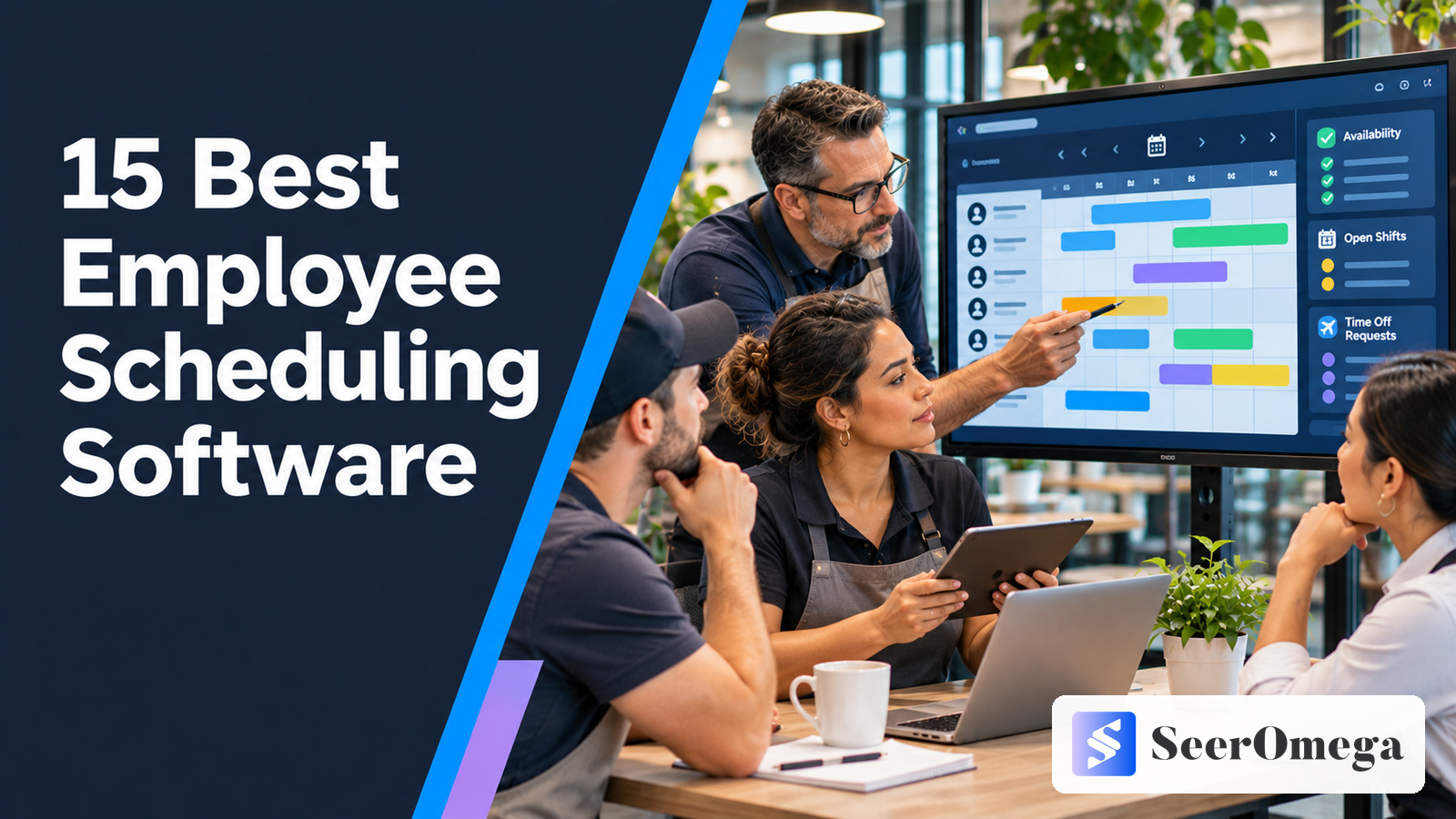
Employee scheduling software helps managers plan who works, when and where. It replaces scattered spreadsheets, group messages and manual shift changes with a shared schedule that can account for employee availability, time off, roles, locations and coverage requirements. Depending on the product, it may also connect schedules to time clocks, timesheets, payroll, labor budgets and demand forecasts.
The right platform depends on the workforce. A restaurant needs to balance service coverage and labor budgets. A construction contractor may need to schedule crews by job site and skill. A multi-site retailer may need common rules and local manager control. A hospital or 24-hour operation may need complex rotations, credentials and fatigue controls. This guide compares 15 platforms across those different operating models rather than treating every product as a direct substitute.
Product information was reviewed on 24 November 2026. Features and plan limits can change by region, subscription and integration. Confirm the exact capabilities in a vendor demonstration before making a purchase.
What employee scheduling software should do
A useful scheduling system should make it easier to build a workable schedule, communicate changes and keep planned hours connected to actual attendance. Evaluate the following capabilities against your team’s needs.
- Shift creation and templates: Build recurring, rotating, split or one-off shifts. Check whether managers can copy schedules, use templates and create open shifts for unfilled work.
- Availability and time off: Collect preferred hours, unavailability, leave requests and approved absences before assigning shifts. The system should flag conflicts rather than rely on a manager remembering every request.
- Shift swaps and coverage: Let employees offer, trade or claim open shifts with the approval rules your organization needs. Confirm whether the original employee remains responsible until a manager approves the change.
- Role, skill and location rules: Match shifts to employees who have the right role, certification, location access or job eligibility. Multi-location teams should check whether employees can be shared across sites.
- Demand and labor planning: Some platforms use sales, workload, foot traffic or historical patterns to recommend staffing levels. Check the source data, forecast horizon and ability for managers to review recommendations.
- Time and attendance: Compare scheduled shifts with clock-ins, breaks, overtime and actual hours. Scheduling and time tracking may be separate modules or products.
- Payroll and HR integrations: Verify how approved timesheets, pay rates, leave and employee records move into payroll or HR systems. Check the integration direction, sync frequency and exception handling.
- Compliance and auditability: Look for configurable break rules, overtime alerts, rest periods, fair-workweek support and records of schedule changes. Legal requirements vary by location and industry, so verify the relevant rules with qualified advisers.
- Mobile access and communication: Employees should be able to see shifts, receive updates and submit requests without relying on a manager to relay every change.
15 employee scheduling software platforms to compare
1. Deputy: Best for shift-based businesses that need scheduling and labor controls
Deputy combines employee scheduling with time and attendance, leave and availability management, labor compliance and workforce communication. Its scheduling tools include shift templates, open shifts, swaps, replacement requests, break planning and options for automatic scheduling. Higher plan levels add demand forecasting, labor optimization and wage-budget capabilities.
Deputy is a practical shortlist candidate for hospitality, retail, healthcare and other businesses with hourly teams. Buyers should compare the shift limits, scheduling automation and labor analytics included in each plan. Its pricing page separates Lite, Core and Pro capabilities, and payroll or HR functions may involve additional products or regional availability.
Consider it when: You want scheduling and time tracking in one product, with room to add labor forecasting and more advanced controls. Deputy scheduling features and official plan comparison.
2. When I Work: Best for straightforward hourly team scheduling
When I Work focuses on employee scheduling, time tracking and team communication. Its scheduling workflow lets managers create shifts, use templates, assign positions and job sites, and publish schedules to employees. Staff can access schedules through mobile apps, while managers can send notifications when a schedule is published or changed.
The product is designed around shift-based teams that need a shared schedule and simple communication rather than a large enterprise workforce-management suite. Before selecting it, confirm the time clock, payroll integrations, reporting and multi-location capabilities in the plan being quoted. The help documentation explains the difference between draft shifts and published shifts, which is important when managers need to edit a schedule before employees see it.
Consider it when: Managers need an accessible scheduler for hourly teams, with mobile schedule visibility and shift communication. When I Work scheduling documentation.
3. Connecteam: Best for mobile-first deskless and field teams
Connecteam combines scheduling with operational tools for employees who spend much of their working day away from a desk. Its scheduling app supports shift creation, templates, employee availability, open shifts, shift swaps, reminders and communication. The wider Operations Hub includes a time clock and job scheduler, while time records can be exported to payroll providers.
Connecteam is relevant to field services, retail, hospitality, cleaning, security and distributed teams that need more than a calendar. Its published pricing matrix shows that schedule counts, auto-scheduling and approval controls vary by plan. Check the number of schedules and locations your organization needs, and whether the selected tier includes the required automation.
Consider it when: You need scheduling, time capture, tasks and employee communication in a mobile-first environment. Connecteam shift scheduling and plan feature matrix.
4. Homebase: Best for small businesses managing hourly staff
Homebase is aimed at local businesses with hourly teams. Its scheduler supports weekly schedules, shift conflict alerts, employee notifications, shift trades and time tracking. The Plus plan and higher add an AI scheduling assistant that can draft a schedule using availability, roles and past patterns. Homebase also describes sales and labor forecasting within the schedule builder for eligible plans.
The free Basic plan is currently limited to one location and up to 10 employees. Paid plans add capabilities such as advanced scheduling, time-off controls, permissions and HR features. Businesses should check whether they need one location or several, and whether payroll is an add-on or part of their intended package.
Consider it when: A small restaurant, shop or local service business wants a relatively simple schedule, time clock and employee communication workflow. Homebase scheduling features and official pricing.
5. 7shifts: Best for restaurant scheduling and labor management
7shifts is built for restaurant operations. Managers can create schedules around employee availability, time off, roles and labor targets. Its scheduling tools include reusable templates, shift pools, employee swaps, open-shift coverage and labor compliance alerts. The platform can connect sales and labor data from supported point-of-sale systems to help managers plan staffing.
Restaurant-specific workflows make 7shifts different from a general-purpose employee calendar. It also offers time clocking, team communication, tip management and payroll-related capabilities, with the precise combination depending on plan and region. Its free Comp plan includes basic scheduling and time clocking, but buyers should confirm the current plan boundaries and POS integration support.
Consider it when: Restaurant managers need schedules connected to availability, labor targets, POS data and shift coverage. 7shifts restaurant scheduling and plan details.
6. Rippling: Best for scheduling connected to HR and payroll data
Rippling positions workforce scheduling alongside its broader HR, payroll and workforce platform. Its scheduling product describes AI-assisted schedule creation using sales forecasts, employee availability, job data, pay rates and overtime rules. Managers can review suggested schedules before they go live, while employees can view shifts, clock in, swap shifts and communicate through the mobile app.
The integrated data model is the main point to evaluate. When employee records, pay policies and time data already live in Rippling, scheduling may reduce the need to reconcile information across separate systems. Buyers should check the exact scheduling product, regional availability, payroll dependencies and the scope of AI features in their proposal. Rippling announced a rebuilt Rippling Time product in July 2026, so confirm current packaging rather than relying on older descriptions.
Consider it when: You want scheduling closely connected to HR, payroll, time tracking and employee records. Rippling workforce scheduling and Rippling Time product announcement.
7. Microsoft Teams Shifts: Best for organizations already using Microsoft Teams
Shifts is the employee scheduling app included with Microsoft Teams. Managers can create team schedules, organize employees into groups, assign shifts, publish open shifts and configure time-off, swap and clock-in options. Employees can view their schedules, set availability, request time off, offer or swap shifts and request open shifts, depending on the settings enabled by their organization.
Shifts can be a sensible starting point when frontline communication already happens in Teams. It is not automatically a replacement for a specialist workforce-management system. Buyers should check the limits of the standalone Shifts experience, licensing, administrative policies and whether an external workforce-management connector is needed for complex labor forecasting, payroll rules or enterprise scheduling.
Consider it when: Your organization already uses Teams and needs basic to intermediate shift planning with collaboration in the same environment. Microsoft Shifts overview and schedule setup documentation.
8. Workforce.com: Best for demand-based scheduling in hourly operations
Workforce.com combines scheduling, labor forecasting, time and attendance, HR and payroll capabilities for hourly workforces. Its predictive scheduling tools are designed to forecast staffing requirements, build and assign schedules against demand and highlight overstaffed or understaffed periods. The platform also includes employee communications and task management for shift operations.
Demand-based scheduling is most useful when the organization has meaningful data about sales, foot traffic, service volume or workload. Buyers should test the forecast against their own business patterns and understand which source systems supply the data. They should also confirm how managers can override a recommendation and how the system handles local labor rules and employee preferences.
Consider it when: Staffing levels need to respond to changing demand and labor costs are a central management concern. Workforce.com workforce management and predictive scheduling documentation.
9. UKG Pro Workforce Management: Best for complex enterprise workforce scheduling
UKG Pro Workforce Management is designed for organizations with complex scheduling, timekeeping and absence requirements. UKG describes people-centric scheduling, AI-powered forecasting, mobile access, time and attendance, and controls for pay rules and compliance. Its wider product family also includes specialist scheduling for public safety and other environments where coverage, shift patterns and operational rules are demanding.
UKG is an enterprise evaluation rather than a lightweight shift calendar. Buyers should map the required scheduling functions to the exact UKG product and modules, especially when comparing UKG Pro Workforce Management with UKG Ready or specialist products such as UKG TeleStaff and UKG Shiftboard. Implementation, configuration, integrations and change management are important parts of the total cost.
Consider it when: Large or complex organizations need enterprise workforce management across scheduling, time, absence and compliance. UKG Pro Workforce Management solution guide.
10. Dayforce Scheduling: Best for multi-location workforce planning and employee preferences
Dayforce Scheduling connects workforce scheduling to the broader Dayforce HCM and payroll environment. Its official product information describes labor-demand forecasting based on historical data and trends, schedule generation that considers employee preferences and pay rates, centralized scheduling across locations, open-shift bidding, shift changes and compliance controls.
Dayforce is relevant to larger employers that need a more coordinated view of staffing, payroll and workforce records. Its centralized scheduling tools can display multiple locations and identify overlapping shifts or employees scheduled when unavailable. Buyers should verify the configuration required for operational templates, labor metrics, work assignments and country-specific rules.
Consider it when: You need workforce scheduling tied to HCM and payroll, particularly across multiple locations or complex shift patterns. Dayforce employee scheduling and centralized scheduling documentation.
11. QuickBooks Time: Best for teams that want scheduling close to time tracking
QuickBooks Time combines employee time tracking with schedule creation and timesheet workflows. Managers can add, assign and publish shifts, repeat schedules, and connect work to jobs or customers. Employees can receive schedule updates and use the Workforce app for time entry and related workflows when the required product and subscription are in place.
It is a practical candidate for businesses already using QuickBooks products and needing a closer connection between scheduled work, time records and payroll. Scheduling availability depends on the QuickBooks Online or QuickBooks Workforce subscription and product setup. Confirm which edition supports the schedule features you need and whether your team requires a dedicated scheduling platform with more advanced forecasting or role-based rules.
Consider it when: Time tracking and payroll workflows are more important than advanced workforce planning, and your business already uses QuickBooks. QuickBooks Time shift management.
12. Buddy Punch: Best for small teams that need scheduling with attendance controls
Buddy Punch combines scheduling, time clocks and attendance monitoring. Managers can build and publish shifts, assign employees by location, department or position, set repeating shifts and review availability. Employees can request trades or coverage, submit time-off requests and receive schedule notifications. The platform also offers attendance alerts and controls such as punch limits and automatic punch-outs.
Scheduling is included in the Pro and Advanced plans and is available as an add-on for the Starter plan, according to Buddy Punch’s current documentation. Buyers should check whether the required scheduling and attendance features are included in their quote. The system is oriented toward practical timekeeping and schedule administration rather than enterprise labor forecasting.
Consider it when: A small or mid-sized employer wants straightforward schedules tied to attendance and time-clock records. Buddy Punch scheduling and plan and add-on details.
13. Humanity Schedule: Best for frontline teams with shift swaps and open-shift workflows
Humanity Schedule, part of TCP Software, provides employee scheduling for teams working across departments, locations and shifts. Employees can submit availability and leave, swap shifts, request coverage and pick up open shifts. Managers can publish schedule changes, approve requests and monitor employee status through the mobile app. TCP’s plan information also describes shift auto-fill and schedule optimization in selected tiers.
Humanity is worth considering when the employee self-service experience is a priority and managers need approval controls around shift exchanges. Buyers should check the relationship between Humanity Schedule, TCP’s wider workforce products and any timekeeping or payroll systems already in use. Confirm the modules and plan level required for automatic shift assignment or optimization.
Consider it when: Frontline teams need mobile schedule access, open-shift pickup, shift swaps and manager approval workflows. Humanity Schedule mobile scheduling and TCP pricing and capability comparison.
14. Sling: Best for smaller teams that want scheduling and communication together
Sling combines employee scheduling, team communication and time-related workflows. Employees can view schedules, set unavailability, request time off, apply for available shifts, offer shifts to coworkers or request swaps. Managers can publish schedules and use approval settings to control shift exchanges. Sling is available on web and mobile, with free and paid plans that differ in functionality.
Sling can work for organizations that want a simple schedule and employee communication layer without adopting a larger HR platform. Review the differences between its Free, Premium and Business plans, particularly around shift exchanges, labor compliance, time tracking and multi-location administration. A free plan should be assessed against the real operational requirements rather than only the number of users.
Consider it when: A small or growing business wants a straightforward shift calendar with employee messaging and self-service changes. Sling scheduling and shift-exchange guidance.
15. ClockShark: Best for construction and field-service crew scheduling
ClockShark focuses on time tracking and job scheduling for construction and field-service teams. Managers can create shifts using a drag-and-drop scheduler, assign employees to jobs and tasks, and notify crews when schedules change. Employees can access schedules on mobile devices and clock in and out from the same application. The platform also connects scheduling to GPS time tracking, job costing, time off and crew management.
ClockShark’s value is its field-work context. A general hourly scheduler may not handle job addresses, crew assignments and job-costing workflows as directly. Buyers should confirm the contract term, per-user charges, location and GPS requirements, and whether the selected plan includes paid time off or multi-department controls.
Consider it when: Construction or field-service managers schedule crews by job, location and task and need time records connected to that work. ClockShark employee scheduling and official pricing.
Compare employee scheduling platforms by use case
| Primary requirement | Platforms to shortlist | Key evaluation point |
|---|---|---|
| Small business and hourly shifts | Homebase, When I Work, Sling, Buddy Punch | Ease of use, employee mobile access, time clock and plan limits |
| Restaurants and hospitality | 7shifts, Deputy, Homebase, Workforce.com | Labor forecasting, POS integration, break rules and shift coverage |
| Deskless and field teams | Connecteam, ClockShark, Deputy | Mobile usability, job or site assignment, GPS and timesheet workflows |
| Scheduling connected to HR and payroll | Rippling, Dayforce, UKG Pro Workforce Management | Employee data, pay rules, approvals, implementation and regional support |
| Existing collaboration ecosystem | Microsoft Teams Shifts, When I Work | Licensing, integration boundaries and whether specialist WFM features are needed |
| Complex enterprise or multi-location operations | UKG Pro Workforce Management, Dayforce, Workforce.com, Deputy | Centralized control, forecasting, role eligibility and compliance configuration |
This comparison is a starting shortlist, not a universal ranking. Products in the same row can differ in workforce size, deployment model, data architecture, implementation effort and included modules. Ask each vendor to demonstrate the same real scheduling scenario before comparing proposals.
How to choose the right employee scheduling software
1. Map the scheduling process before choosing a product
Document how managers forecast work, collect availability, approve leave, assign shifts, publish schedules, handle call-outs and approve timesheets. Include exceptions such as overnight shifts, split shifts, temporary workers, multiple roles and employees who work at more than one location. A clear workflow makes it easier to identify the features that are genuinely necessary.
2. Define the rules the schedule must respect
List the rules that affect shift assignment: employee availability, job qualifications, certifications, minimum rest periods, maximum hours, overtime, breaks, union agreements and local scheduling requirements. Ask the vendor to demonstrate how these rules are configured and updated. Do not assume a product’s general compliance label means it covers every local or industry-specific obligation.
3. Test employee self-service
Ask employees to use the mobile app during a pilot. They should be able to find their schedule, understand shift details, set availability, request time off and respond to shift changes. Managers should be able to approve requests and see the effect on coverage. Test push notifications and the process for employees who do not use a smartphone.
4. Verify the quality of labor forecasts and automation
If a platform offers AI scheduling or demand forecasts, ask what data the system uses and how it handles seasonality, promotions, weather, holidays and unusual demand. Compare a suggested schedule with a manager-built schedule using the same staffing requirements. Check whether the recommendation explains gaps, labor costs and employee eligibility, and whether a manager can edit it before publication.
5. Connect schedules to timekeeping and payroll carefully
Confirm whether actual hours, breaks, overtime and approved time off flow into timesheets and payroll. Ask how the system handles missed punches, late changes, different pay rates and work across multiple jobs. A payroll integration should be tested with sample exceptions, not only a clean week of ordinary shifts.
6. Review reporting and audit history
Useful reports may include scheduled versus actual hours, overtime, unfilled shifts, absence patterns, labor cost, schedule changes and forecast accuracy. Confirm that managers can trace who changed a shift, when it changed and whether employees were notified. Export access and data retention should be part of the evaluation.
7. Calculate total cost of ownership
Compare per-user, per-location and base fees, as well as minimum employee counts, modules, time clocks, payroll connectors, implementation, training, support and contract terms. A low entry price may not include advanced scheduling, forecasting or time-off controls. Ask for a quote based on the expected number of employees, managers, locations and seasonal workers.
8. Run a realistic pilot
Use a representative team, actual shift patterns and a complete schedule cycle. Test availability, shift swaps, call-outs, overtime alerts, employee notifications, timesheet approval and payroll export. Agree on acceptance criteria before the pilot starts, then involve both managers and employees in the decision.
Employee scheduling software vs. workforce management software
Employee scheduling software focuses on assigning people to shifts and communicating the schedule. Workforce management software usually covers a wider set of processes, such as demand forecasting, time and attendance, absence management, labor budgeting, compliance and payroll preparation. Some vendors offer both capabilities in one platform, while others provide scheduling as a module within a larger HR or HCM system.
Appointment scheduling is a separate category. It organizes customer or patient bookings with staff, rooms or services. A salon booking system may include employee calendars, but it is not necessarily designed to plan hourly shifts, track attendance or manage labor costs. If your primary problem is customer bookings, see our guide to appointment scheduling software for salons. For restaurant technology and labor operations, see restaurant technology systems and operational workflows. For fitness-specific membership and class operations, see gym management software.
Frequently asked questions
What is the best employee scheduling software?
There is no single best platform for every workforce. Homebase, When I Work and Sling are candidates for smaller hourly teams. 7shifts is built around restaurant operations. Connecteam and ClockShark address mobile and field work. Deputy and Workforce.com connect scheduling to labor controls, while UKG and Dayforce serve more complex enterprise environments. The best fit is the product that matches your shift rules, workforce, integrations and budget.
Is there free employee scheduling software?
Some products offer a free plan or limited free scheduling capabilities. Homebase currently offers a Basic plan for one location and up to 10 employees, while 7shifts describes basic scheduling in its free Comp plan. Microsoft Teams Shifts is included with Teams, subject to the organization’s licensing and administration. Free plans often have limits on locations, advanced scheduling, time tracking or integrations, so compare the restrictions with your actual workflow.
Can employees swap shifts themselves?
Many scheduling products let employees offer, trade or claim shifts. Managers can often require approval before a change becomes final. Check the exact rules for role eligibility, location, notice periods and whether the employee originally assigned to the shift remains responsible until approval.
Does employee scheduling software track time and attendance?
Some platforms include a time clock and timesheets, while others integrate with a separate time and attendance product. Confirm whether clock-in data can be compared with scheduled hours and exported to payroll. Also check how the system handles breaks, missed punches, overtime and employees working across locations.
Can AI create employee schedules automatically?
Some vendors offer automatic or AI-assisted schedule generation. The available features differ. A product may fill open shifts from availability, while another may use sales forecasts, labor budgets, pay rates and workforce rules. Treat generated schedules as recommendations that require review. Validate the underlying data and confirm that managers can understand and change the result before it is published.
How much does employee scheduling software cost?
Pricing models vary. Vendors may charge per employee, per location, a monthly base fee or a bundled workforce-management subscription. Some advanced features require higher tiers or add-ons. Compare the full cost for your expected employee count and locations, including time tracking, payroll integration, implementation, support and contract commitments.
Final thoughts
Choose employee scheduling software around the way work actually happens. A small business may need a clear weekly schedule and easy shift swaps. A restaurant may need labor forecasts and POS data. A field-service company may need job-based crew assignments, while a large employer may need centralized scheduling and complex compliance rules. Shortlist the platforms that fit those requirements, test them with real schedules and verify the integration and plan boundaries before you commit.
