

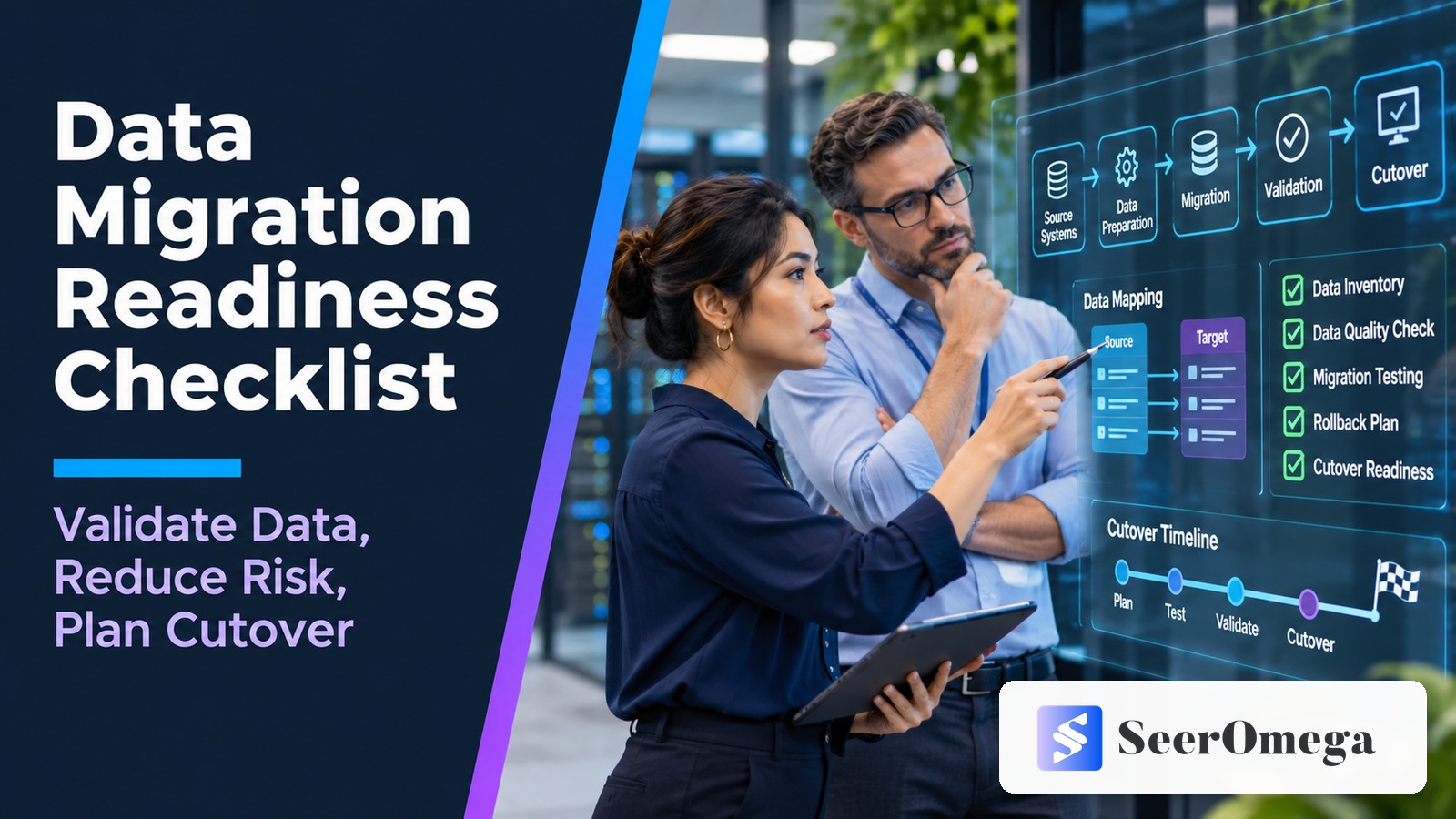
A data migration can finish on schedule and still fail the business. Records may load into the target platform while permissions are wrong, historical relationships are missing, reports no longer reconcile or downstream integrations create duplicates. The most useful readiness question is therefore not whether the transfer can run. It is whether the organisation can prove that the right data will arrive, retain its meaning, support critical work and remain recoverable when something goes wrong.
This guide is for CIOs, programme leaders, data owners, enterprise architects and operations managers preparing to move data between databases, applications, SaaS platforms, warehouses or cloud environments. It turns migration planning into nine evidence-based readiness gates. Each gate includes the decision to make, the evidence to collect and the conditions that should stop a team from moving forward.
What data migration readiness actually means
Readiness is the demonstrated ability to move an agreed data scope into a target environment while protecting business continuity, data integrity, security and operational control. It is not a project status colour or a completed task list. A team is ready only when accountable people have reviewed the evidence and accepted the remaining risks.
Keep three questions separate:
- Can we move it? The source can be extracted, the target can receive it and the migration method can handle the volume and change rate.
- Will it be correct and usable? Records, relationships, meanings, permissions and business rules survive the move, or approved transformations are applied.
- Can we operate safely afterwards? The target is supported, monitored and owned, while recovery and legacy-retention decisions are understood.
A successful transfer answers mainly the first question. Go-live readiness requires evidence for all three.
The nine readiness gates
Gate 1: Business scope and acceptance are approved
Begin with the business outcome, not the migration tool. Define why the move is happening, which processes depend on it and what must be true for the target to become authoritative. Be precise about the scope. “Move customer data” is not sufficient if teams disagree about whether that includes prospects, inactive accounts, consent history, attachments, service cases, duplicate records or archived transactions.
For every data domain, classify records into four decisions:
- Migrate: required for active operations, reporting, customer service or another approved purpose.
- Transform: required, but must be standardised, mapped, merged or converted before loading.
- Archive: must remain accessible for an approved retention, audit or reference need, but does not belong in the active target.
- Retire: has no continuing business or retention purpose and can be disposed of under an approved process.
Record exclusions as carefully as inclusions. Moving unnecessary history increases cost, test effort and exposure. Excluding data without business and records-management approval can create a different risk.
Evidence required: signed scope, domain inventory, inclusion and exclusion rules, business outcomes, success criteria, affected processes and named acceptance owners.
Stop if: business units disagree about the scope, the target purpose is unclear, or no accountable owner can approve what counts as a successful migration.
Gate 2: Source data is inventoried and profiled
An application list is not a data inventory. Identify the actual datasets, tables, files, objects, interfaces and copies that participate in the migration. Capture where each dataset originates, who owns it, how it changes, who consumes it and what depends on it. Include shadow spreadsheets, scheduled extracts, reporting stores, external feeds and retained archives when they affect the target outcome.
Profile representative data before estimating the effort. At minimum, examine:
- Record counts, data volume, growth and peak change rates.
- Nulls, invalid formats, duplicate candidates and out-of-range values.
- Key relationships, orphan records, referential integrity and identifier collisions.
- Historical depth, inactive records, attachments and large or unusual data types.
- Source permissions, classifications, retention rules and data residency constraints.
- Batch windows, interface dependencies and the time available for final delta capture.
Profile by business domain and critical attribute, not only by table. A small number of defective fields can disrupt a high-value process even when the overall dataset appears clean. Microsoft’s storage migration assessment guidance similarly emphasises inventory, access patterns, performance, change rate, resiliency, downtime tolerance and security requirements. See the Microsoft storage migration assessment.
Evidence required: source-to-domain inventory, profiling report, dependency map, data-volume estimate, quality issue register and classification summary.
Stop if: critical sources are unknown, data volumes are guesses, or profiling has not covered the records and fields that drive essential processes.
Gate 3: Ownership, definitions and transformation rules are settled
Technical teams can move fields, but business owners must decide what those fields mean. Assign a data owner for each important domain and a steward or subject-matter contact who can resolve exceptions. Identify the system of record for each entity and, where authority differs by attribute, document that distinction.
Build a version-controlled source-to-target mapping. Each mapped field should state:
- Source object and field, target object and field, and the business definition of both.
- Transformation, standardisation, lookup or derivation rule.
- Handling for null, unknown, invalid, duplicate and retired values.
- Default values and whether they are genuinely valid for the business.
- Reference data dependencies, units, currencies, dates and time-zone rules.
- Validation rule, exception route, accountable approver and mapping version.
Do not silently convert ambiguity into a default. If two source statuses map to one target status, record the business decision and its effect on reporting or workflow. If a relationship cannot be preserved, agree how the target will represent it before the migration run.
Evidence required: named data owners, approved glossary for critical terms, system-of-record matrix, signed mappings, transformation specifications and an exception decision log.
Where the migration includes shared customer, product or supplier records, review the principles in SeerOmega’s master data management software guide. For profiling, validation and remediation design, the data quality guide explains the dimensions teams should make measurable.
Stop if: a material mapping has no business approval, identifiers cannot be resolved, or a transformation changes business meaning without an accountable decision.
Gate 4: Security, privacy and retention controls are ready
Migration temporarily concentrates data in exports, staging areas, transfer services, test environments and logs. Those copies can be less protected than the production systems they came from. Treat the migration path as part of the data environment, not as a temporary technical tunnel.
Before the first production-scale extract, confirm:
- Data classification and permitted purpose for each in-scope domain.
- Least-privilege access for extraction, transformation, loading and validation roles.
- Encryption in transit and at rest, including temporary storage and backups.
- Approved regions, transfer routes, processors and third-party access where relevant.
- Masking or synthetic data rules for non-production testing.
- Audit logs, credential handling, key rotation and incident escalation.
- Retention and secure deletion rules for extracts, staging copies and temporary credentials.
Security and privacy review should identify which controls are mandatory for the organisation and its jurisdictions. Do not assume that a successful technical transfer proves that data residency, access or retention obligations have been met.
Evidence required: security review, access matrix, approved transfer design, test-data policy, retention and deletion plan, and documented sign-off from the relevant control owners.
Stop if: sensitive data is being copied to an unapproved location, privileged access is shared or untracked, or temporary migration copies have no owner and deletion plan.
Gate 5: The target environment and migration method are proven
Choose a migration method for each workload. A one-time bulk load may suit a stable archive. A phased migration may reduce risk across business units. Replication or change data capture may be needed when the source continues to change during the migration window. The right choice depends on volume, change rate, downtime tolerance, target capability, dependency order and the consequences of a failed transfer.
Validate the target before treating it as ready. Confirm capacity, schema and configuration, network paths, identity integration, access roles, backup and restore, monitoring, performance and downstream connectivity. Test the migration tooling against representative records, not just a small clean sample. Include unusual characters, large attachments, complex relationships, historical dates and exception cases.
For cloud or platform moves, document the specific service limits and supported migration paths that apply to the chosen source and target. A vendor checklist is useful as a planning aid, but it is not proof that a particular architecture or service configuration will meet your requirements. AWS provides a practical sequence covering assessment, planning, execution, validation and post-migration stabilisation in its data migration checklist.
Evidence required: target design, capacity and performance test, tool proof of concept, security configuration, dependency test and documented migration-method rationale.
Stop if: the target cannot meet a critical workload requirement, the tool has not been tested with representative data, or a required source-to-target path is unsupported.
Gate 6: Repeated test migrations reconcile successfully
One successful test load is not enough. Run repeatable migration cycles and use each one to remove a different class of uncertainty. Early runs can validate extraction and mapping. Later runs should include production-like volumes, realistic change rates, failure recovery and business process tests.
Validation needs more than a row count. Use a layered reconciliation approach:
| Validation layer | What to compare | What passing evidence looks like |
|---|---|---|
| Completeness | Counts by object, status, period and key segment | Expected records are present, with exclusions and rejected records explained |
| Integrity | Primary keys, foreign keys, parent-child relationships and duplicate handling | Critical relationships remain valid and collisions have approved treatment |
| Value accuracy | Critical fields, balances, quantities, dates, currencies and calculated values | Differences fall within pre-agreed tolerances and have documented causes |
| Business usability | Transactions, searches, reports, approvals and end-to-end workflows | Business users complete representative scenarios in the target |
| Operational behaviour | Integrations, permissions, batch jobs, alerts and performance | Critical services operate within agreed service expectations |
Set tolerances before testing, not after a variance appears. A tolerance should reflect business impact and control requirements. Some values, such as a financial control total or a legally required identifier, may have no acceptable variance. Other fields may permit a documented, low-risk exception. Keep the source result, target result, variance, cause, owner and disposition together.
Evidence required: repeatable run logs, reconciliation reports, defect register, retest results, business scenario results and formal domain-owner acceptance.
Stop if: material variances remain unexplained, critical workflows fail, or the team cannot reproduce the test results from a controlled runbook.
Gate 7: Cutover and rollback are rehearsed
Cutover is a controlled transfer of operational authority. The plan must explain when source activity stops or is constrained, how final changes are captured, what loads run in what order, how the target is validated and who can authorise the switch. It must also address transactions created during any freeze or dual-run period.
Write a timed runbook that includes:
- Pre-cutover backup and restore-point verification.
- Change freeze, final extraction and incremental load steps.
- Dependencies, sequence, named operator and expected duration for each task.
- Validation checkpoints, tolerance thresholds and required sign-offs.
- Go/no-go authority, escalation contacts and communication templates.
- Rollback triggers, restoration steps, decision deadline and data handling if target writes have begun.
Rollback deserves special scrutiny. Restoring the old system is not always enough after users or integrations have started writing to the new one. Decide how new transactions will be preserved, replayed or reconciled, and whether the source can safely resume authority. If rollback is not technically possible, define a tested contingency and recovery path instead of describing an unworkable promise.
Microsoft’s migration planning guidance calls for migration sequencing, a method for each workload, stakeholder approval and tested rollback procedures. Its Cloud Adoption Framework migration plan is a useful reference for these planning controls.
Evidence required: timed rehearsal results, approved runbook, verified restore point, rollback or contingency test, communications plan and named go/no-go authority.
Stop if: the cutover exceeds the available business window in rehearsal, no one has authority to stop the release, or the rollback plan cannot account for writes made after the switch.
Gate 8: People, support and business continuity are prepared
A technically sound target can still create operational disruption if users, support teams and dependent services are not ready. Identify which roles need new access, changed procedures, training or revised reports. Make sure the help desk and application owners know how to distinguish a migration defect from a normal support request.
Prepare the operating model for the first days and weeks after go-live. Name the service owner, data issue owner, integration support contact and escalation route. Define how critical defects are prioritised, how business users report issues and how the project team hands unresolved items to steady-state teams.
Also confirm that downstream consumers are ready. Reports, APIs, scheduled extracts, analytics models, identity systems and third-party connections may need new endpoints, credentials, mappings or schedules. A migration is not complete if the target is available but the business ecosystem around it is still pointing to the source.
Evidence required: user readiness and training records, support rota, service ownership, downstream consumer sign-offs, issue triage process and business continuity arrangements.
Stop if: critical teams cannot perform essential work, no operational owner accepts the target, or important downstream consumers have not been tested.
Gate 9: Hypercare, legacy retention and closure are defined
Do not close the migration project on the first successful login. Define a stabilisation period based on process criticality and the volume of post-go-live activity. During hypercare, monitor failed transactions, data defects, integration queues, user access, performance, reconciliation exceptions and support demand. Compare these results with the baseline rather than relying on anecdotal confidence.
Keep the legacy environment available only for an approved purpose and period. Before decommissioning, confirm retention, legal hold, audit access, outstanding reconciliations, dependent integrations, backup requirements and secure disposal. If the legacy system remains read-only, specify who can access it and how long it will be supported.
Evidence required: hypercare exit criteria, issue closure or accepted backlog, post-migration reconciliation, ownership transfer, legacy disposition decision and evidence-retention plan.
Stop if: unresolved defects threaten critical processes, the new service has no steady-state owner, or the legacy shutdown would remove required records or audit evidence.
Use a go-live readiness scorecard
Score each gate using evidence, not confidence. A simple three-state model is often clearer than a weighted average that can hide a critical failure.
| Status | Meaning | Decision |
|---|---|---|
| Ready | Required evidence is complete, reviewed and accepted by the accountable owner | Gate may pass |
| Conditional | A non-critical gap has a named owner, approved mitigation and deadline | Proceed only if the governance authority explicitly accepts the residual risk |
| Not ready | Evidence is missing, a critical control failed or a material risk is unresolved | Do not pass the gate |
Do not average away a failed security, financial, regulatory or business-continuity control. A project with eight green gates and one critical red gate is not ready to go live. Record the gate owner, evidence location, decision, open risk and review date so the approval can be reconstructed later.
Common readiness mistakes to avoid
- Using record counts as the only proof: counts do not confirm meaning, relationships, permissions or business usability.
- Leaving cleansing until after loading: unresolved source defects become target defects and are harder to trace.
- Letting technical teams approve business rules: transformation logic needs domain-owner approval when it changes meaning.
- Testing only a clean sample: unusual, high-volume and exception records expose the failures that simple tests miss.
- Writing rollback without rehearsing it: a recovery plan must account for target writes and operational dependencies.
- Retiring the source too early: retention, audit, legal hold and downstream dependencies may require controlled access.
- Declaring success at technical go-live: the migration must also pass business validation and transition into supported operations.
Frequently asked questions
How early should a team start data migration readiness?
Start during discovery, before finalising the target design or delivery estimate. Inventory, profiling, ownership and retention decisions can change scope, architecture, cost and schedule. Revisit readiness at each test cycle and before cutover because the evidence changes as the migration progresses.
How many test migrations are enough?
There is no universal number. Continue until the team can repeat the process with representative data and volume, explain material variances, recover from expected failures and complete business acceptance within the planned window. The exit condition is repeatability and evidence, not a fixed count.
What is the difference between data migration testing and reconciliation?
Testing checks whether the migration process and target behave as expected. Reconciliation compares source and target data to identify missing, changed, duplicated or incorrectly transformed information. Both are required, and business users should validate whether the resulting data supports real work.
Can a migration go live with known data issues?
Only when the issues are understood, their business and control impact is assessed, an authorised owner accepts the residual risk and a time-bound remediation plan exists. Critical legal, security, financial or operational requirements may have zero tolerance. Do not use a general percentage threshold for every field.
When should the old system be decommissioned?
After the target has stabilised and the organisation has confirmed that retention, audit, legal hold, recovery, reporting and downstream dependencies are satisfied. Decommissioning should be a separate approved decision, not an automatic step immediately after cutover.
Make readiness an evidence-based decision
A migration is ready when the organisation can demonstrate that its scope is understood, data has been profiled, business meaning and ownership are settled, controls are in place, test runs reconcile, cutover and recovery have been rehearsed, and operations are prepared to take responsibility. The checklist is not intended to create paperwork. It is a way to surface decisions while there is still time to change the plan.
Use the nine gates as a working review with business owners, data teams, security, architecture and operations. If a gate cannot be passed, make the gap visible and assign a decision owner. A delayed go-live is inconvenient. A migration that moves incorrect or unprotected data into the system that runs the business can be far more expensive.
