
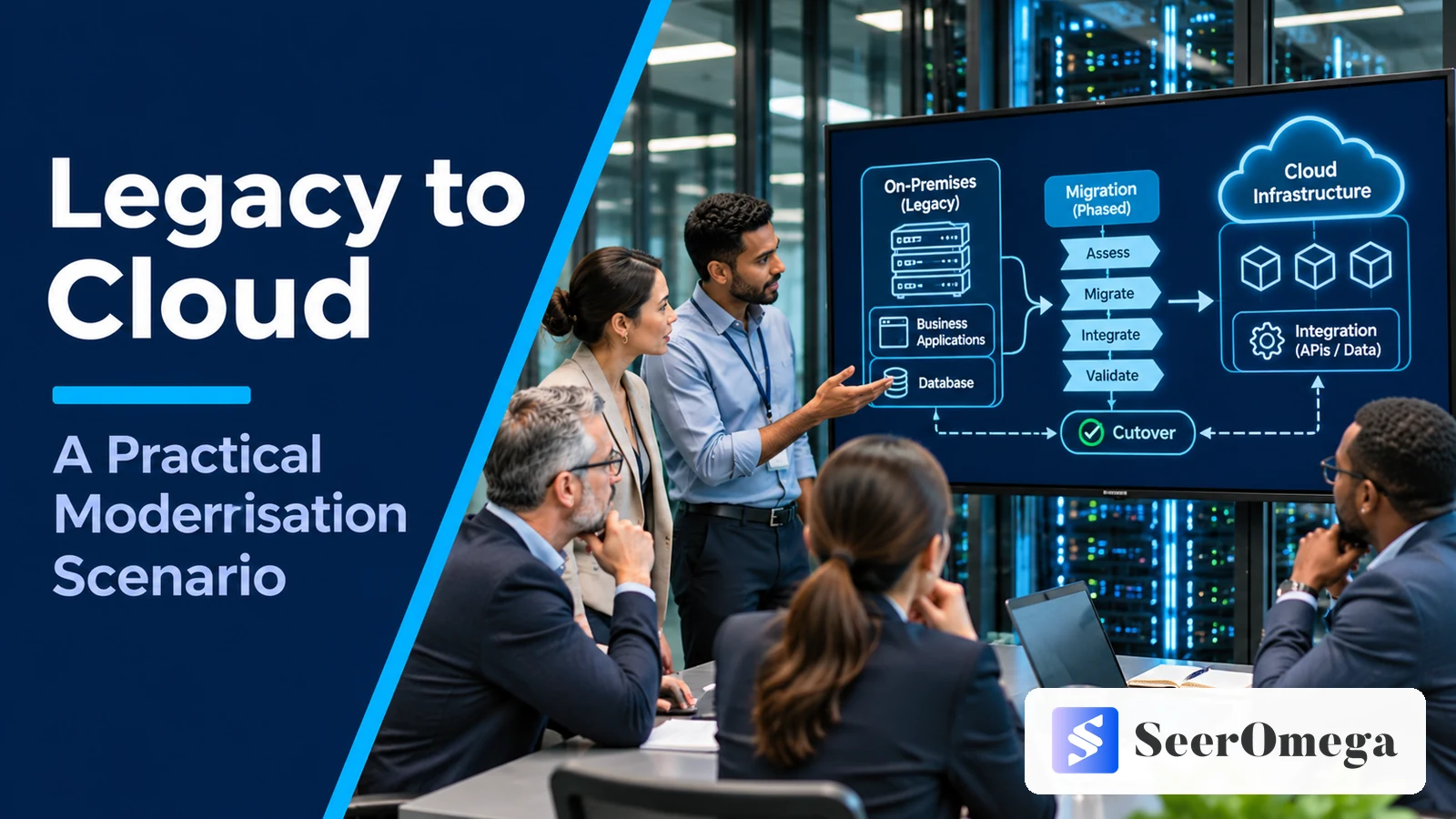
Moving a legacy system to the cloud is not a single infrastructure decision. It is a portfolio of choices about which applications should move, which should change, which should be replaced and which should remain where they are. A cloud destination does not automatically fix an outdated data model, brittle integration, unsupported software or an unclear operating process.
This scenario lab follows a hypothetical wholesale distributor that relies on an ageing on-premises application estate for order management, warehouse operations, customer records, reporting and supplier connectivity. The company wants to reduce data-centre dependency and improve its ability to change business systems, but it cannot risk disrupting order fulfilment or financial records.
The scenario is illustrative, not a customer case study. It includes no claimed migration savings, delivery times or performance results. Its purpose is to show how an IT leadership team can assess a mixed legacy estate, choose different paths for different workloads, sequence dependencies and plan a controlled cutover.
The scenario: a business cannot move everything in the same way
Assume the distributor operates five connected technology components:
- Order management: a customised application that handles order capture, pricing rules and allocation. It is business-critical and tightly coupled to the inventory database.
- Warehouse management: a system connected to barcode scanners, label printers and shop-floor equipment. Some devices depend on local network connectivity.
- Customer and supplier portal: an older web application with limited support for modern identity and integration patterns.
- Reporting database: a collection of scheduled extracts and reports that several departments use, with inconsistent definitions and duplicated data.
- Document archive: a large repository of historical files, some of which are rarely accessed but must be retained under business or legal policy.
Leadership has three objectives: reduce the operational burden of the ageing data centre, improve reliability and recovery options, and make it easier to introduce new digital capabilities. These goals do not imply that every application needs a cloud-native rewrite. Each component needs its own business case and migration path.
Start with the estate, not the cloud provider
The first deliverable should be a reliable application and dependency inventory. A server list is not enough. The team needs to understand what each system does, who owns it, which business processes depend on it, what data it stores, how it connects to other components and what happens if it is unavailable.
For each application or workload, record:
- Business purpose, process owner, users and critical operating periods.
- Application version, runtime, operating system, database and infrastructure dependencies.
- Inbound and outbound interfaces, shared databases, scheduled jobs, identity services and network dependencies.
- Data classification, residency constraints, retention requirements and recovery objectives.
- Vendor support status, licence terms, custom code, specialist hardware and available technical skills.
- Current operating cost, support effort, incident history, performance constraints and known technical debt.
- Planned business changes that could make migration or replacement unnecessary.
Dependency mapping is particularly important. An order application may appear to be one workload but rely on a shared database, authentication service, reporting extract, warehouse interface and batch job. Moving only the application server can leave the business process split across environments in a way that creates latency, failure and support problems.
Microsoft’s migration planning guidance recommends identifying direct, indirect and business dependencies, grouping connected components and considering workloads that must remain in the source environment. The same principle applies regardless of the destination provider.
Choose a migration path for each workload
Migration terminology varies between providers and frameworks. Microsoft’s Cloud Adoption Framework describes options including retire, retain, rehost, replatform, refactor, rearchitect, rebuild and replace. AWS Prescriptive Guidance uses a seven-R model that includes relocate and repurchase. The labels are not perfectly interchangeable, so teams should define what each term means in their own programme.
| Path | What changes | When it may fit | Main trade-off |
|---|---|---|---|
| Retire | Decommission an application or component. | It is redundant, unused or no longer supports a required business outcome. | Dependencies, records and retention obligations must be checked before shutdown. |
| Retain | Keep the workload in its current environment for now. | It has a physical, regulatory, technical or sequencing constraint, or migration has weak value. | Hybrid operations and a future review date may be required. |
| Rehost | Move the workload with minimal application changes. | It is stable, compatible and needs a relatively low-disruption move. | Technical debt and application-level limitations remain. |
| Relocate | Move an infrastructure estate or platform with little architectural change, where the provider supports this pattern. | A platform-level move is preferable to changing each application individually. | Provider-specific constraints and platform dependencies remain relevant. |
| Replatform | Make limited changes to use a managed platform or service. | The application is fit for purpose but infrastructure operations create avoidable burden. | Deep coupling and business logic may remain unchanged. |
| Refactor or rearchitect | Change code or architecture to address structural constraints. | There is a clear business case for better modularity, integration, scale or maintainability. | More engineering, testing and delivery risk than a like-for-like move. |
| Rebuild | Create a new application to replace an outdated or inflexible system. | The existing system cannot reasonably meet future requirements. | Requirements discovery, migration and adoption can become a major transformation. |
| Replace or repurchase | Move to a suitable commercial or SaaS product. | The capability is not differentiating and a product meets business needs. | Fit, data portability, integration, licensing and vendor dependency need scrutiny. |
Do not select a strategy because it is fashionable or because one provider’s framework uses a particular label. Choose the smallest change that removes the constraint that matters, while preserving a credible path to the desired operating model.
Apply the choices to the distributor scenario
1. Order management: replatform first or modernise in stages
The order management system contains valuable business rules and is tightly coupled to inventory. A full rewrite during a data-centre exit could combine infrastructure, application and process risk in one programme. If the application is supported and compatible with a cloud hosting model, the company might first rehost it to create a stable transition path. If a managed runtime or database can reduce operational burden without changing core business logic, replatforming may be more appropriate.
Neither option removes the need to address the application’s coupling. The team should document the constraints that remain and identify bounded components that can be modernised later, such as pricing services, order status APIs or reporting interfaces. If the application cannot meet future needs or is no longer supportable, a replacement or rebuild may be justified, but it should have a separate business case and migration plan.
2. Warehouse management: retain the edge dependencies while modernising integration
The warehouse system connects to physical devices and may need predictable local response times. Moving every component to a remote cloud environment could introduce network dependency into time-sensitive operations. The team should map scanners, printers, controllers, local services and outage procedures before choosing a target.
A practical interim design may keep device-facing components local while moving selected services or data interfaces to a cloud environment. This is a hybrid state, not necessarily a failed migration. It needs clear ownership, secure connectivity, monitoring and a plan for what happens when the connection is unavailable. The connectivity design should be assessed separately from application hosting, as explained in SeerOmega’s guide to choosing cloud networking services.
3. Customer and supplier portal: replace if the product fit is real
The portal has limited support for modern identity and integration. If a commercially available portal or supplier collaboration product meets the business requirements, replacing the application may be more sensible than rebuilding an equivalent capability. The team must test identity integration, user roles, data ownership, custom workflows, accessibility, reporting, supplier onboarding and exit options before committing.
If no suitable product fits the requirements, the company can consider rebuilding the portal around a supported architecture. The decision should compare the full transition cost and operating model, not only development effort or subscription price.
4. Reporting database: separate data quality from hosting
Moving a reporting database to cloud infrastructure does not resolve inconsistent definitions or duplicated records. Before migration, identify authoritative sources, data owners, critical reports, refresh schedules and downstream consumers. Agree on business definitions for measures such as open orders, fulfilment status and supplier performance.
The company might replatform the database while separately improving pipelines, access controls, data quality checks and lineage. Reports that are no longer used should be retired rather than copied into the new environment.
5. Document archive: move only after retention and access rules are clear
The archive may contain records that are rarely accessed but still need to be retained. The team should classify documents, establish retention and deletion rules, verify search and retrieval needs, and assess legal holds before choosing a storage tier or archive service. Historical records should not be deleted simply because the application that created them is being retired.
Sequence the migration around dependencies and business risk
A sensible sequence is rarely the order in which servers appear in an inventory. The programme should consider business criticality, technical dependency, migration complexity, available skills, downtime tolerance and the cost of operating old and new environments together.
For the distributor, a possible sequence might look like this:
- Discovery and foundation: complete the inventory, dependency map, target landing environment, identity design, network plan, security controls, logging and cost governance.
- Low-risk supporting workloads: move selected development, test, non-critical reporting or internal services to validate connectivity, backup, monitoring and operational procedures.
- Document and reporting components: migrate after retention rules, data ownership and report dependencies are understood. Keep the source available until reconciliation and user validation are complete.
- Portal replacement or modernisation: run integration and user acceptance testing with suppliers and internal teams. Plan identity, data transition and communication before cutover.
- Order management and inventory dependencies: migrate as a coordinated group or in controlled phases. Validate transactions, stock balances, pricing, integrations and recovery before switching production traffic.
- Warehouse-connected components: coordinate changes with physical operations, device testing, local connectivity and fallback procedures. Avoid scheduling cutover during critical fulfilment windows.
This is an illustrative order, not a universal migration schedule. A real dependency map may require a different sequence. For organisations whose legacy estate is specifically built on Microsoft Dynamics, SeerOmega also has a separate Dynamics 365 migration guide. Microsoft recommends grouping workloads with direct dependencies and planning for components that cannot move at the same time. AWS guidance also distinguishes between moving first and modernising later, especially in large programmes where simultaneous architectural change can increase complexity.
Design the cutover before the migration begins
Cutover is the point where users and connected systems begin relying on the target environment for production work. It should be treated as a controlled operational event, not a final technical task after testing.
A cutover plan should define:
- Entry criteria: required tests passed, data reconciled, business owners approved, support teams ready and known defects accepted or resolved.
- Change freeze and communication: which updates stop, when users are notified and who can authorise a delay.
- Data synchronisation: how changes made during the migration window are captured, reconciled and applied to the target.
- Traffic and integration switch: how DNS, routing, API endpoints, scheduled jobs, identity and external connections move to the new environment.
- Validation: which business transactions, reports, balances, user journeys and integration messages must be checked before the migration is considered complete.
- Rollback or recovery: the conditions that trigger a return to the previous environment, who makes that decision and how data created after cutover is handled.
- Hypercare and handover: incident ownership, monitoring thresholds, escalation paths and the point at which the programme hands over to normal operations.
For complex or high-risk changes, a parallel environment can provide a safer transition path, but it adds infrastructure cost and data-synchronisation complexity. A rollback plan is not complete if it only says to switch traffic back. The team must know whether data written after cutover can be safely reconciled with the old system.
Build a migration business case that includes the temporary costs
Cloud migration economics are often distorted when the business case compares old infrastructure spending with only the target cloud bill. The programme may temporarily operate both environments, pay for data transfer, remediate applications, improve security, train staff and maintain specialist support.
For each workload, estimate the full lifecycle cost across:
- Discovery, assessment, architecture and programme management.
- Application remediation, refactoring, replacement or data conversion.
- Cloud compute, storage, database, network and managed services.
- Data transfer, egress, replication and temporary dual-running.
- Security, identity, backup, disaster recovery, monitoring and compliance evidence.
- Software licences, support agreements, third-party products and contract exit costs.
- Testing, downtime planning, user training, change management and support.
- Ongoing platform operations, optimisation, incident response and skills development.
Separate one-time migration costs from recurring operating costs. Compare scenarios over a consistent period and state assumptions about usage, growth, availability, support and licensing. A cloud move can improve flexibility or resilience without reducing total cost. The decision should reflect the business outcome being purchased. For a broader view of the trade-offs, see SeerOmega’s guide to the benefits of cloud computing.
Common risks in a legacy-to-cloud programme
- Moving unknown dependencies: an undocumented batch job or shared database fails after cutover. Improve discovery and validate dependency groups with system owners.
- Rehosting a system that needs redesign: existing performance or reliability problems follow the application. Record residual technical debt and fund a separate modernisation path.
- Modernising everything at once: infrastructure, data, application and process changes become difficult to isolate. Stage the work and use explicit acceptance gates.
- Underestimating data quality: records move successfully but remain inconsistent or unusable. Profile, cleanse where justified and reconcile business-critical data.
- Ignoring hybrid operations: old and new environments exchange data without clear ownership or monitoring. Define integration, security and retirement responsibilities.
- Assuming cloud means secure by default: identity, configuration, network exposure, secrets, logging and recovery still need design and operation.
- Missing the exit plan: the new environment creates a different form of lock-in. Document data export, portability, contract terms and recovery options.
A practical decision checklist for each legacy workload
- Is the application still needed, and does it support a defined business outcome?
- Can it be retired, consolidated or replaced by an existing product?
- Which systems, devices, data stores and business processes depend on it?
- Is the current application supported, secure and compatible with the proposed target?
- Does rehosting solve the actual problem, or only move the current constraints?
- Would replatforming provide a meaningful operational improvement without excessive change?
- Is there a defensible business case for refactoring, rearchitecting or rebuilding?
- What must remain on-premises or at the edge, and why?
- What data must move, be transformed, retained or deleted under approved policy?
- How will the team test, cut over, reconcile data and recover if the change fails?
- Who will operate the workload after migration, and what skills or support are missing?
- What are the one-time, dual-running and recurring costs?
Conclusion: modernise the estate one justified decision at a time
A successful legacy-to-cloud programme is not measured by the number of servers moved or the percentage of applications labelled cloud-ready. It is measured by whether the organisation improves the services and capabilities that matter, while controlling disruption, cost, security and operational complexity.
For the hypothetical distributor, that means choosing different paths for order management, warehouse operations, the portal, reporting and document retention. Some components may move with limited change. Others may be replaced, modernised in stages or retained until dependencies and business constraints are resolved.
Start with a complete estate view, choose a path for each workload, sequence connected components carefully and define cutover and recovery before execution. The cloud is a destination. The migration strategy is the set of business and technical decisions that makes the transition workable.
Frequently asked questions
What is the best way to move legacy systems to the cloud?
There is no single best method for every application. Inventory the estate, map dependencies, define business outcomes and choose a migration path for each workload. Some may be rehosted or replatformed, while others should be replaced, refactored, retained or retired.
Should a business rehost or modernise a legacy application?
Rehosting can be appropriate when the application is stable, compatible and needs a lower-disruption move. Modernisation is more appropriate when architecture, technical debt, security, integration or business requirements justify change. Avoid combining a major rewrite with a time-critical infrastructure move unless the business case and delivery capability support it.
Can some legacy systems remain on-premises after cloud migration?
Yes. Physical equipment, latency, regulatory constraints, unresolved dependencies or limited migration value may justify retaining a workload temporarily or longer term. A hybrid environment needs explicit security, connectivity, monitoring, data-flow and ownership controls.
What is the difference between cloud migration and cloud modernisation?
Migration moves a workload or its components to a new environment. Modernisation changes the application, platform, data or operating model to improve how it works. A workload can be migrated without being substantially modernised, and modernisation can continue after the initial move.
How do you reduce downtime during a legacy system migration?
Map dependencies, rehearse the migration, synchronise data, test integrations and define a cutover window with business owners. For high-risk workloads, consider parallel environments and staged traffic changes. A recovery plan must account for data written after cutover, not only infrastructure rollback.
Is moving to the cloud always cheaper?
No. Total cost depends on workload usage, architecture, licences, data transfer, support, security, resilience, staffing and optimisation. Compare the full lifecycle cost of the current and proposed environments rather than assuming cloud consumption will be lower.
