
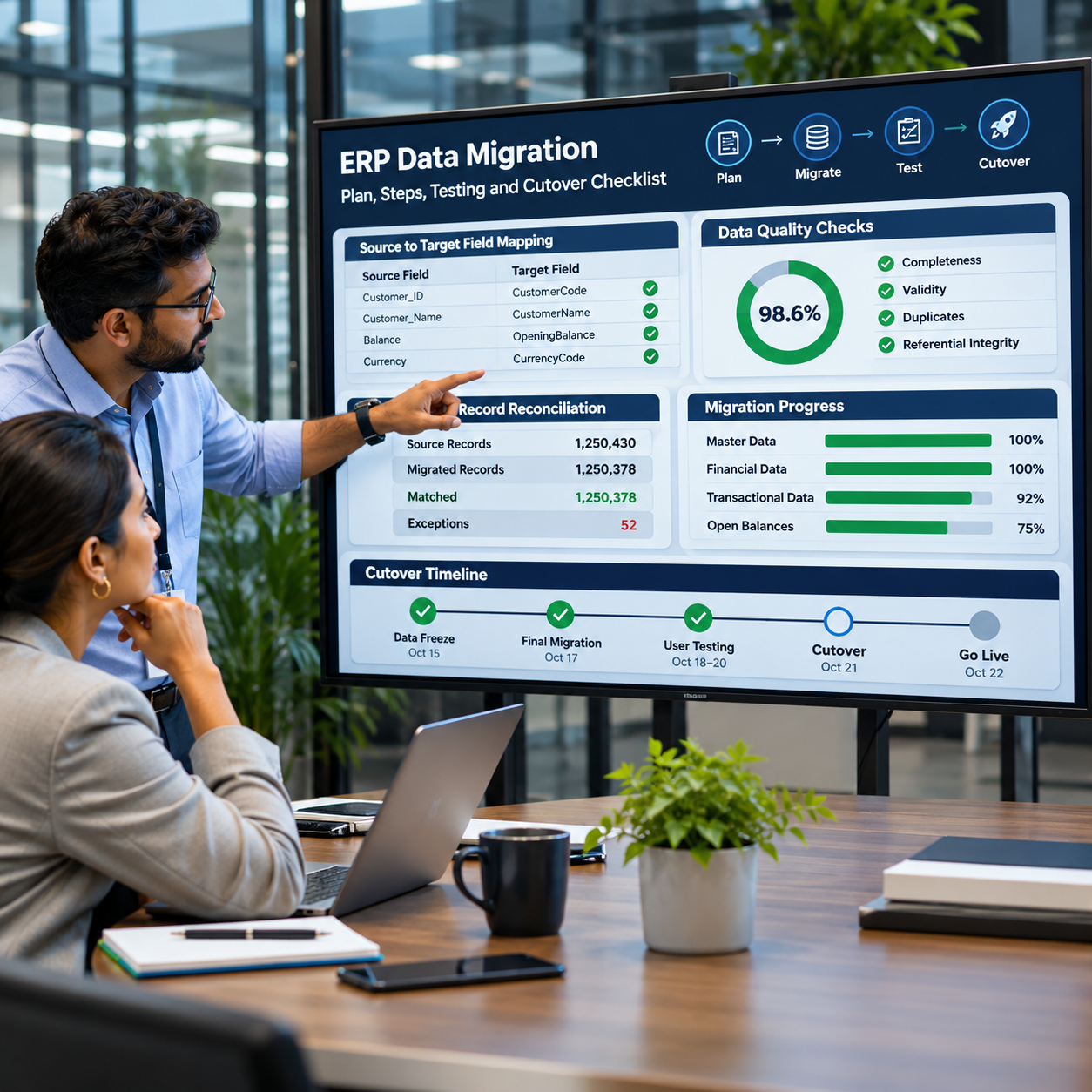
ERP data migration is not a file-transfer exercise. It is the controlled redesign of how business information is represented in a new system. Customer records, supplier accounts, item masters, financial balances and open transactions may all have to move, but copying every field from a legacy application can reproduce years of inconsistent data in a more expensive environment.
A reliable migration programme decides what the business actually needs, defines how source information maps to the target, tests the results against agreed controls and rehearses the final cutover. This checklist is written for project sponsors, finance leaders, IT teams and implementation partners who need to manage that work as a business-critical stream.
1. Define the migration scope before selecting tools
Start by building an inventory of source systems, spreadsheets, databases, file stores and third-party applications. For each source, record the business owner, data domain, record volume, quality concerns, update frequency and whether the information is still operationally required.
Classify data into practical groups:
- Master data: customers, suppliers, products, employees, locations, assets and chart-of-account structures.
- Configuration and reference data: currencies, tax codes, payment terms, units of measure, reason codes and classifications.
- Open transactions: unfulfilled sales orders, purchase orders, open invoices, work orders, projects and stock commitments.
- Opening positions: general ledger balances, receivables, payables, inventory quantities and values, fixed-asset balances and work-in-progress.
- Historical records: closed transactions, archived documents and reporting history required for audit, analysis or customer service.
Do not assume that all historical data belongs in the new ERP. Some organisations are better served by migrating active records and opening balances while retaining older detail in a governed, read-only archive. Make this decision with finance, operations, legal and audit stakeholders rather than leaving it to the technical migration team.
2. Assign data ownership and governance
Every data domain needs an accountable business owner and a person responsible for day-to-day quality decisions. IT can build migration packages, but it cannot decide whether two supplier records represent the same legal entity, whether a product is obsolete or which customer address is authoritative.
Define who can approve:
- Duplicate merges and changes to customer or supplier identity.
- Inactive products, obsolete SKUs and discontinued services.
- Changes to account mappings, tax classifications and financial dimensions.
- Default values used when a source field is missing or invalid.
- Exceptions that will be carried into the target system.
Microsoft’s implementation guidance recommends defining data governance, ownership, data architecture, migration scope, mapping, environments and data-quality controls as part of the delivery plan. See the Microsoft data management checklist.
3. Profile and cleanse source data
Profile the data before designing transformation rules. Measure duplicates, missing mandatory fields, invalid formats, orphaned relationships, inconsistent codes and records that have not been used for a defined period. Review the exceptions with business owners and agree what should be corrected, merged, excluded or archived.
Useful checks include:
- Customer and supplier names, tax identifiers, addresses, payment terms and credit status.
- Product codes, descriptions, units of measure, product groups and tracking attributes.
- General ledger accounts, departments, locations, cost centres and dimension combinations.
- Open order references, shipment status, invoice status and links to parent records.
- Inventory quantities, warehouse locations, lot or serial numbers and valuation data.
Do not treat a high percentage of populated fields as proof of quality. A customer record can be complete but attached to the wrong legal entity; an inventory record can exist but carry an invalid unit conversion. Validate business meaning, not only field completion.
4. Build source-to-target mapping rules
For every migrated entity, document the source field, target field, transformation, allowed values, default behaviour, dependency and validation rule. Include examples of valid and invalid records. Mapping should cover more than column names: it must explain how the business meaning changes between systems.
For example, a legacy system may store a single customer status that the new ERP separates into account status, credit status and sales-blocking rules. A product code may need a new numbering convention. A chart of accounts may require consolidation or mapping to a standard group structure.
Keep mappings version-controlled and obtain sign-off from the relevant data owner. Changes made during testing should be documented so the team can reproduce the same result in later migration runs.
5. Select the migration method and environment
Choose the extraction, transformation and loading (ETL) method based on data volume, complexity, frequency, source-system access and target-system capabilities. Options may include built-in import tools, APIs, database staging, integration platforms or specialist migration utilities. No single tool is automatically right for every data domain.
Plan for:
- Secure source extraction and controlled staging areas.
- Repeatable transformation scripts and error logging.
- Environment sizing and performance testing with realistic data volumes.
- Access controls, encryption, retention and handling of sensitive information.
- Incremental loads where the source remains active during the migration period.
- Clear separation between migration testing and other system test activities.
Microsoft’s configuration and migration guidance explains the need to plan source and target systems, entities, data volumes, migration sequence, tools, team roles and cutover activities.
6. Run multiple migration rehearsals
A successful test load proves only that data can be imported. It does not prove that the data is correct, complete or usable in end-to-end business processes.
Use staged rehearsals:
- Technical proof: confirm extraction, transformation, loading, error handling and repeatability.
- Reconciled test: compare record counts, balances, quantities and key totals with the source.
- Business validation: ask finance, sales, procurement, inventory and operations users to test real scenarios.
- Timed cutover rehearsal: run the sequence using production-like volumes and measure whether it fits the available downtime window.
For finance, reconcile the trial balance, accounts receivable and payable ageing, bank balances, fixed assets and open items. For operations, reconcile stock by item and location, open orders, work in progress and relevant lot or serial details. Record every variance, its cause, owner and approved disposition.
7. Prepare the cutover and rollback plan
The final migration needs a controlled runbook. Specify the data-freeze point, final extraction, incremental changes, load sequence, dependencies, validation checks, decision gates, business sign-offs and communications. Identify which activities can run in parallel and which must wait for a previous step to finish.
A rollback or contingency plan should state what happens if a critical load fails, reconciliations fall outside tolerance or the new system cannot support essential operations. Define who can make the go/no-go decision and how the organisation will operate if the cutover is paused.
Microsoft’s go-live readiness checklist specifically calls for repeated migration testing, validation of cutover scripts, issue logging, mitigation plans and business sign-off.
8. ERP data migration checklist
| Control area | Evidence required before go-live |
|---|---|
| Scope | Approved list of sources, entities, history and exclusions |
| Ownership | Named business data owners and approved governance rules |
| Quality | Profiling results, cleansing log and approved exceptions |
| Mapping | Version-controlled source-to-target mapping and transformation rules |
| Migration method | Documented tools, environments, security and load sequence |
| Testing | Repeatable migration runs and business process validation |
| Reconciliation | Agreed control totals, variance explanations and sign-offs |
| Cutover | Timed runbook, communications, go/no-go criteria and rollback plan |
| Post-go-live | Monitoring, issue triage, data stewardship and support ownership |
How migration effort affects ERP implementation cost
Migration effort is driven by data quality, source-system complexity, business-rule differences, historical scope, integration dependencies and the number of rehearsal cycles—not simply by the number of records. A smaller but inconsistent dataset can require more work than a large, standardised one.
Budget for profiling, cleansing, mapping, ETL development, test environments, business validation, reconciliation, cutover support and post-go-live corrections. Our guide to ERP implementation cost and TCO covers the wider budget categories. For delivery risks beyond migration, see ERP implementation challenges and mitigation steps.
Questions to ask your ERP implementation partner
- Which data domains are included in the fixed scope, and which are treated as change requests?
- Who owns data cleansing decisions and approves migration exceptions?
- How many full migration rehearsals are included?
- What financial and operational control totals will be reconciled?
- How will incremental changes be handled between the final rehearsal and cutover?
- What is the fallback plan if the final load misses the downtime window?
- Who supports data defects after go-live, and for how long?
Conclusion
ERP data migration is ready when the business can trust the information in the target system—not when an import process finishes. Define the scope, appoint data owners, cleanse and map records, rehearse the load, reconcile business totals and obtain explicit sign-off. These controls reduce the risk of starting a new ERP with old data problems and give the project team a defensible basis for go-live.
