
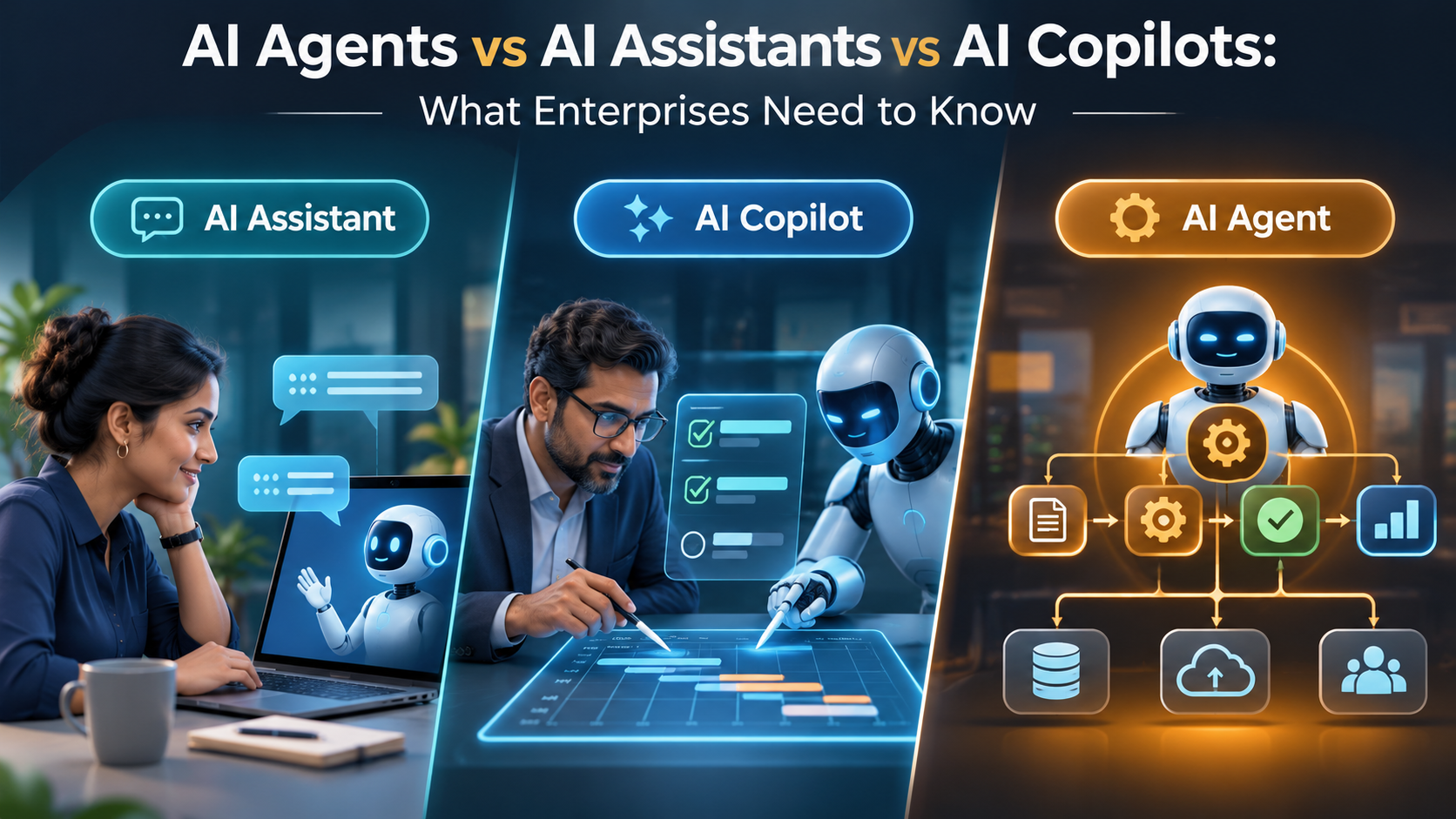
AI agents, AI assistants and AI copilots are often used as if they mean the same thing. They do not describe three perfectly separate technical categories, however. Product vendors use the labels differently, and a single enterprise product may combine assistant-style interaction, copilot features and agentic workflows.
For buyers, the useful distinction is practical: how much initiative can the system take, what actions can it perform, and how much human control remains? Those questions matter more than the label on a product page.
Quick comparison
| Dimension | AI assistant | AI copilot | AI agent |
|---|---|---|---|
| Primary role | Responds to user requests | Works alongside a person in a task or application | Works toward a defined goal across steps |
| Typical initiative | Mostly user-directed | Suggests, drafts and assists in context | Can plan and initiate permitted actions |
| Workflow scope | Often a single question or task | Usually embedded in a human-led workflow | May coordinate multi-step workflows and tools |
| Human role | Prompts and checks responses | Reviews and collaborates continuously | Sets boundaries, monitors and handles exceptions |
| Key risk | Incorrect or misleading answers | Over-reliance on suggestions or generated work | Incorrect actions, permissions or cascading failures |
What is an AI assistant?
An AI assistant is generally an interactive system that responds to a person’s questions or instructions. It may summarise documents, explain information, draft messages, search approved knowledge or help complete a bounded task.
Example: A finance analyst asks an assistant to explain why a month-end variance changed. The assistant retrieves relevant reports and prepares an explanation for the analyst to review. The analyst remains responsible for validating the numbers and deciding what to do.
Assistants are useful when people need information or help producing work, but the task still depends on user direction. The key buyer questions are source quality, permission controls, answer traceability and how the system handles uncertainty.
What is an AI copilot?
A copilot is typically positioned as an assistant embedded in a business application or workflow. It works alongside a user, using the context of the task to suggest next steps, generate content, surface insights or prepare actions.
Example: A sales representative works inside a CRM. The copilot summarises account activity, drafts a follow-up email and suggests next steps based on available records. The representative reviews and decides whether to send the message or update the opportunity.
Copilots can include automated actions and workflow components, so they are not necessarily limited to suggestions. The important question is which actions require confirmation and which can run automatically. A copilot with connected tools and permissions may also expose agent-like capabilities.
What is an AI agent?
An AI agent is designed to pursue a defined goal by interpreting context, choosing steps and using permitted tools or systems to act. Depending on its design, it may handle a sequence of tasks, check results, respond to exceptions and continue until it reaches a stopping condition or needs human input.
Example: A procurement agent monitors approved purchase requests, checks them against policy and supplier data, prepares a purchase order and routes exceptions for approval. It should not bypass approval limits or create commitments outside its authorised scope.
Agents can be powerful, but autonomy is not binary. An agent may only recommend an action, execute reversible low-risk steps, or perform a broader workflow within tightly defined permissions. The level of autonomy must be explicit.
Why the terminology gets confusing
There is no universal industry taxonomy that every vendor follows. Google Cloud describes assistants as systems designed to collaborate directly with users, while Microsoft’s Copilot glossary describes copilots as natural-language assistants that can combine workflows, actions, knowledge and triggers. These descriptions overlap because products are evolving quickly.
Use the labels as a starting point, then inspect the actual product architecture: what data it can access, what tools it can call, what actions it can take, what approvals are enforced and how its activity is recorded. See the Google Cloud explanation of AI agents and Microsoft’s Copilot glossary.
Enterprise examples: choosing the right pattern
Knowledge search and policy questions
Usually start with: an assistant. Employees ask questions about approved policies, contracts or product documentation. Add source citations and access controls. An agent is unnecessary if the task ends with retrieving and explaining information.
Sales preparation and customer service
Usually start with: a copilot. The system summarises account history, drafts responses and recommends next steps inside the CRM or service platform. Human review remains important for customer-facing commitments and sensitive cases.
Invoice processing and procurement
Potential fit: an agent for bounded, repeatable steps such as extracting invoice data, matching records, checking policy and routing exceptions. Keep payment release, supplier-bank changes and high-value commitments behind explicit controls.
IT service management
Potential fit: a copilot for troubleshooting guidance and ticket summaries; an agent for approved low-risk actions such as resetting a service or collecting diagnostics. Privileged changes should require stronger approval and audit.
How to decide how much autonomy to allow
Use a risk-based ladder rather than moving directly from chat to full autonomy:
- Read-only assistance: retrieve and summarise information without changing records.
- Draft and recommend: prepare an action for a person to review.
- Execute with confirmation: perform an action only after an authorised user approves it.
- Bounded automation: execute predefined low-risk actions within limits, with logging and exception handling.
- Broader agent orchestration: coordinate multi-step work across systems only after testing, monitoring and governance are mature.
For each step, define the permitted tools, data access, transaction limits, approval requirements, stop conditions, rollback options and escalation owner. Use least-privilege access and separate the permissions to prepare an action from the permissions to approve or release it.
Buyer checklist for evaluating vendors
- What exactly does the product mean by assistant, copilot or agent?
- Can it read data only, or can it create, update, approve or delete records?
- Which systems and APIs can it access, and how are permissions inherited?
- Can an administrator restrict tools, actions, transaction values and workflows?
- Are prompts, sources, decisions, tool calls and approvals logged?
- How does it handle uncertainty, conflicting data and failed actions?
- Can users inspect the source evidence behind a recommendation?
- What happens when the model, connector or downstream application is unavailable?
- How are model changes tested before they affect production workflows?
- Can the organisation disable the agent and return to a manual process?
Implementation mistakes to avoid
- Buying on terminology: a product called an agent may be a simple chatbot, while a copilot may include substantial workflow automation.
- Giving broad permissions too early: begin with read access and expand only when the workflow and controls are proven.
- Ignoring system-of-record integrity: AI should not silently create conflicting customer, supplier or financial records.
- Measuring activity instead of outcomes: track resolution time, error rate, exception rate and cost per completed workflow—not just conversations.
- Leaving exceptions unowned: every workflow needs a person or team responsible for cases the system cannot safely complete.
Conclusion: buy the capability, not the label
An assistant is often the right choice for information access and user-directed tasks. A copilot is useful when help should appear inside a person’s existing workflow. An agent is appropriate when a defined process requires multi-step execution and the organisation can enforce clear permissions, monitoring and human escalation.
These patterns can coexist. The sensible sequence is to start with the lowest level of autonomy that solves the business problem, measure performance and expand only when the controls and operating model are ready. For related guidance, read our overview of AI agents in business operations and our comparison of enterprise AI automation tools.
